Benchmarking 15 "E-Waste" GPUs with Modern Workloads
Evaluating "E-Waste" Tesla GPUs for Modern Workloads
Decommissioned NVIDIA enterprise GPUs represent one of the final frontiers for acquiring massive amounts of idle VRAM without breaking the bank.
The Value Proposition
Currently, the market for these "obsolete" cards is surprisingly accessible:
- Tesla K80 (24GB GDDR5): \approx \60$
- Tesla P100 (16GB): \approx \75$
- Tesla V100 (16GB): <\200$
Despite their age and various shortcomings, it is critical to determine if these ubiquitous cards remain viable for modern computational tasks. This benchmarking project has been a year-long endeavor, involving a winter spent essentially using GPUs as space heaters in a studio.
https://esologic.com/wp-content/uploads/2026/07/22-tesla-benchmark-16-9-noaudio.mp4
🛠️ Hardware Strategy & Homelab Integration
The primary objective of this research is to establish a Bill of Materials (BOM) for a budget-friendly, 4U GPU node.
Infrastructure Goals
- Maximize VRAM density.
- Minimize initial capital expenditure.
- Maintain thermal stability via custom cooling.
- Ensure PCIe lane availability.
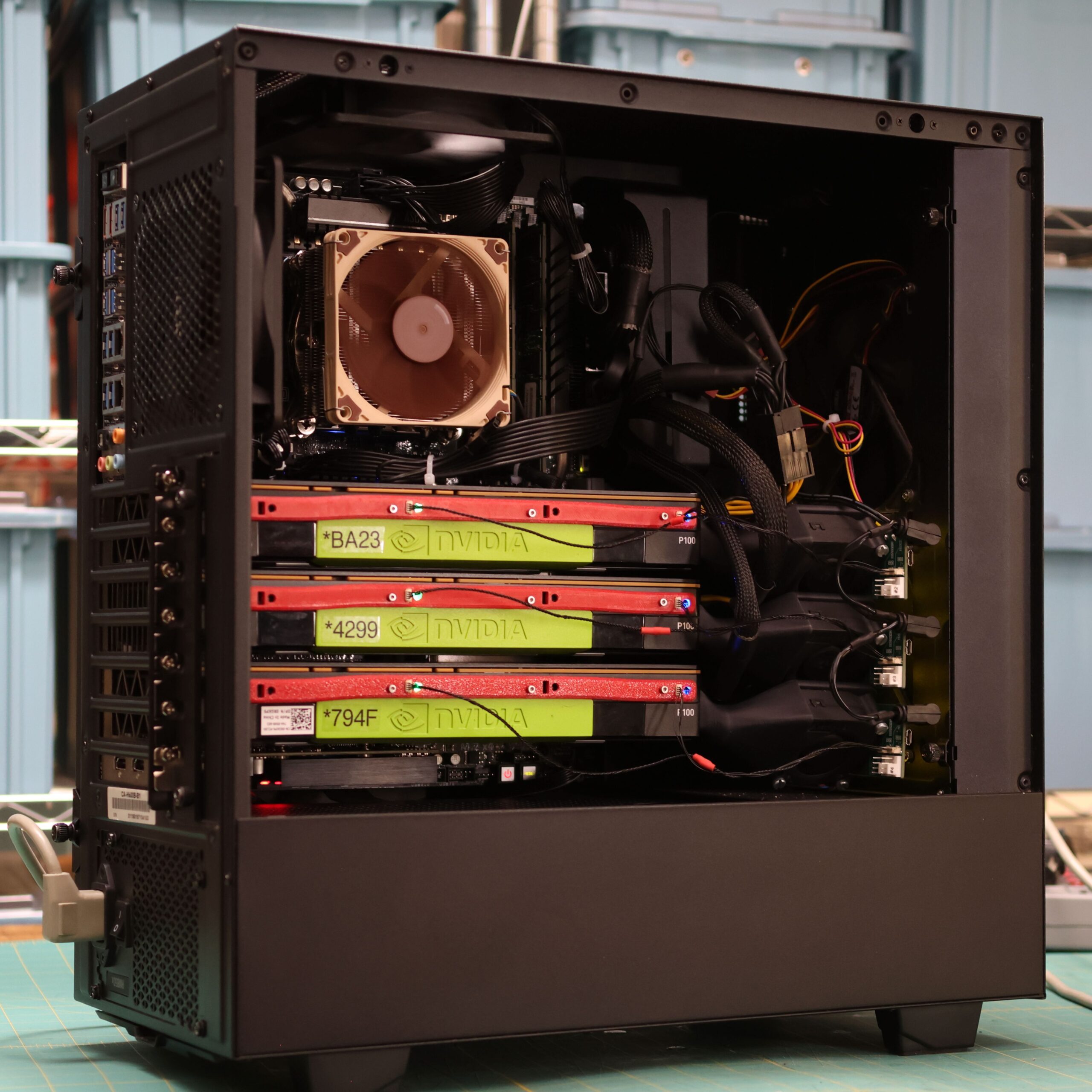
With specialized cooling solutions (beta units available via the author's email list), these enterprise cards can be packed much tighter than consumer GPUs. A standard ATX chassis—whether rack-mounted or a tower—can comfortably house three GPUs alongside a 10GB NIC.
The Platform
The cost of legacy Intel hardware has plummeted, making the X99 platform (specifically E5-* Xeon CPUs) an irresistible choice.
| Component | Model | Approx. Cost | Key Feature |
|---|---|---|---|
| Motherboard | Supermicro X10DRG-Q | $200 | Dual CPU sockets, 7 PCIe slots |
| CPU | Intel Xeon E5 Series | Very Low | High PCIe lane count |
🛡️ Overcoming the "Obsolete" Stigma
It is common to hear warnings that this hardware is End-of-Life (EOL). Critics often point out:
- No upcoming CUDA compatibility updates.
- No new driver support.
- Poor power efficiency (higher energy cost per token).
"You shouldn't use this gear because it's inefficient and unsupported."This is the kind of finger-wagging that has no place in the homelab.
Software limitations are easily bypassed. For instance, llama.cpp supports a wide array of CUDA architectures if you are comfortable building from source. By utilizing docker, the author successfully ran the entire benchmark suite on the Kepler architecture—hardware that debuted in 2014!
While power efficiency is a critical metric for high-availability, 24/7 production environments (where electricity costs can quickly eclipse the hardware savings), it is rarely a primary concern for the hobbyist homelabber.
Mathematically, the efficiency trade-off can be viewed as:
📊 Benchmark Suite Details
The benchmarking tool is open-source on GitHub. The tests are categorized to cover a broad spectrum of modern workloads:
| Category | Benchmark | Description | AI Focus? |
|---|---|---|---|
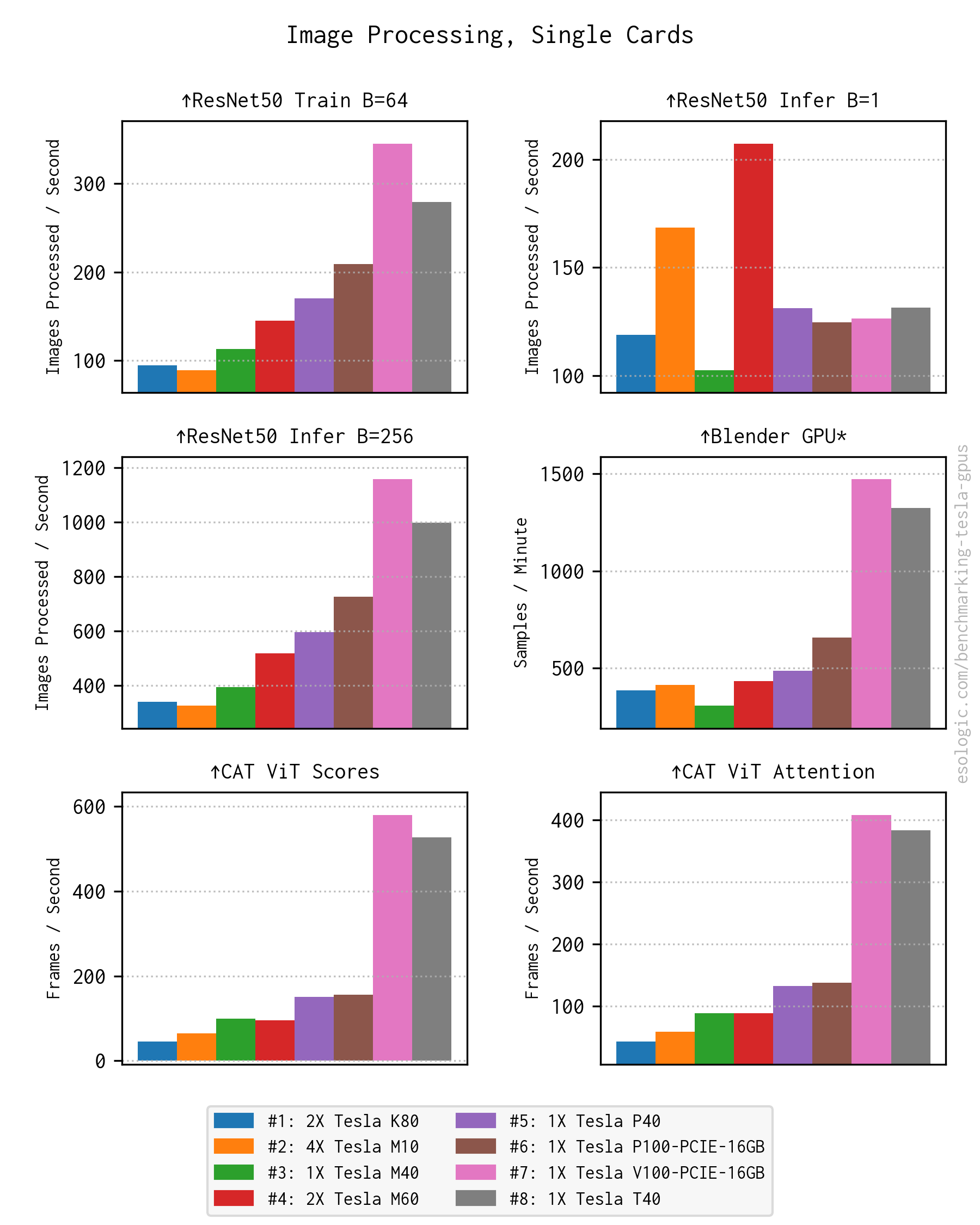
| Computer Vision | ResNet50 Train (B=64) | CNN training for image classification | ✅ |
| Computer Vision | ResNet50 Infer (B=1) | Low-latency single image inference | ✅ |
| Computer Vision | ResNet50 Infer (B=256) | High-throughput batched inference | ✅ |
| 3D Rendering | Blender GPU | Professional path tracing | ❌ |
| 3D Rendering | Blender CPU | CPU baseline for comparison | ❌ |
| Vision Transformers | CAT ViT Scores | Inference throughput for image analysis | ✅ |
| Vision Transformers | CAT ViT Attention | Computationally heavy attention maps | ✅ |
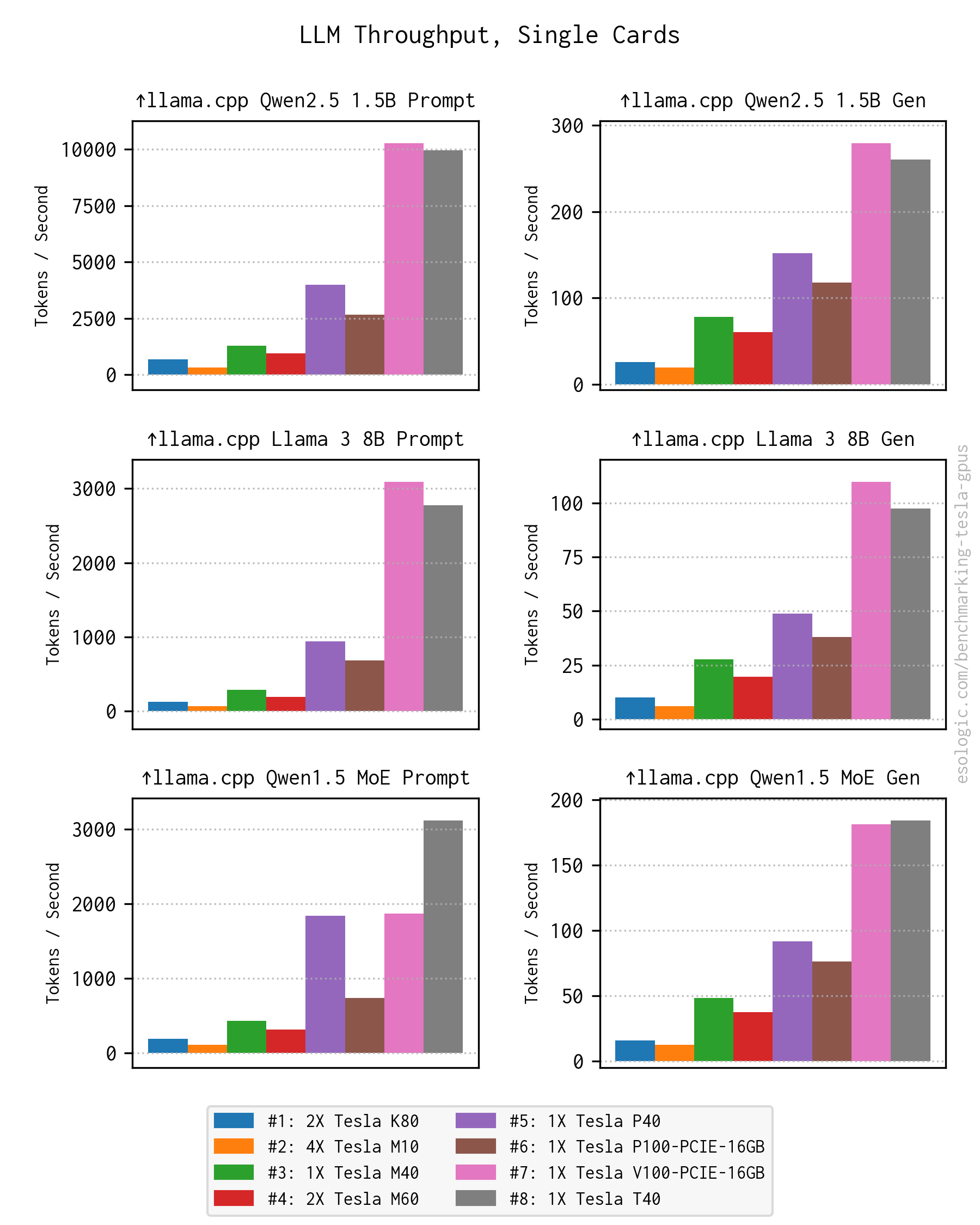
| LLMs | Qwen2.5 1.5B (Prompt/Gen) | Prefill and generation for small models | ✅ |
| LLMs | Llama 3 8B (Prompt/Gen) | Prefill and generation for medium models | ✅ |
| LLMs | Qwen1.5 MoE (Prompt/Gen) | Performance for Mixture-of-Experts | ✅ |
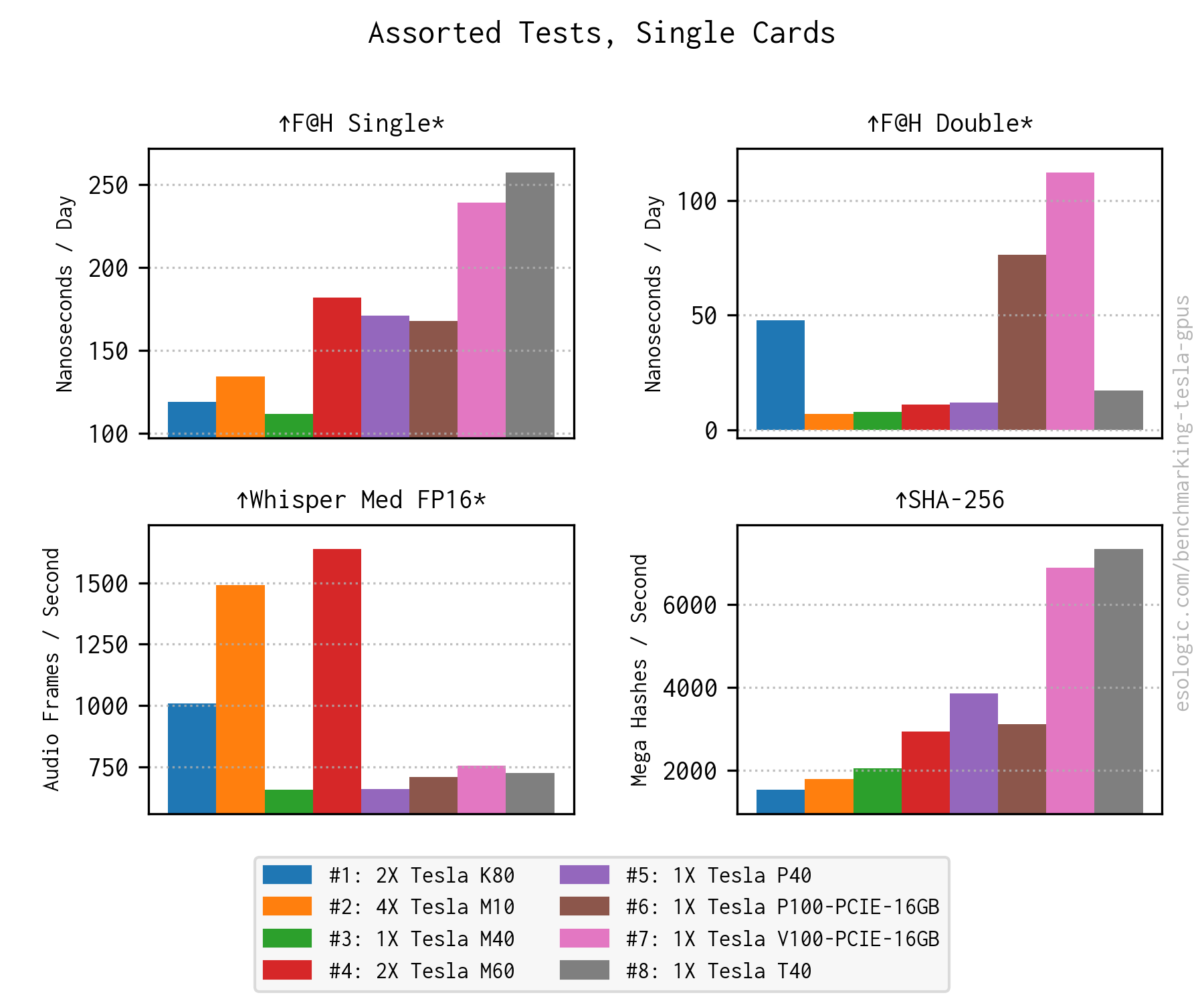
| Scientific | F@H (Single/Double) | Molecular dynamics simulations | ❌ |
| Cryptography | SHA-256 | Raw cryptographic hashing throughput | ❌ |
| Speech | Whisper Med FP16 | Transformer-based speech-to-text | ✅ |
| Infrastructure | gdsio | Storage CPU GPU throughput | ✅ |
⚙️ Theory of Operation
The utility is designed specifically for "GPU Box" style servers. To ensure portability and compatibility, every benchmark is encapsulated as a dockerfile.
The Execution Pipeline
Example Workflow: If a system contains a K80 (2 cores), an M10 (4 cores), and a P100 (1 core):
- The container runs on one K80 core one M10 core the P100 core.
- The container runs across all 7 cores simultaneously.
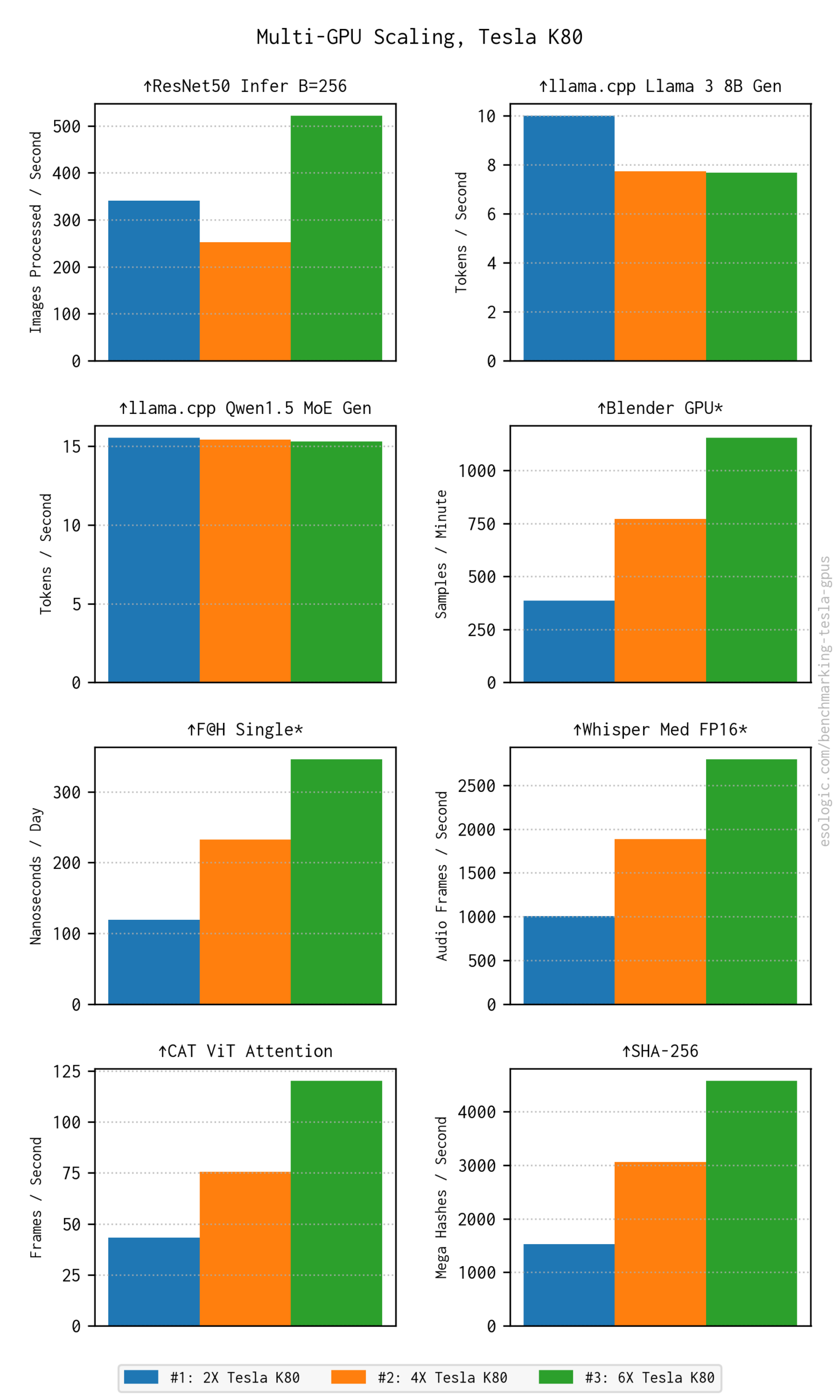
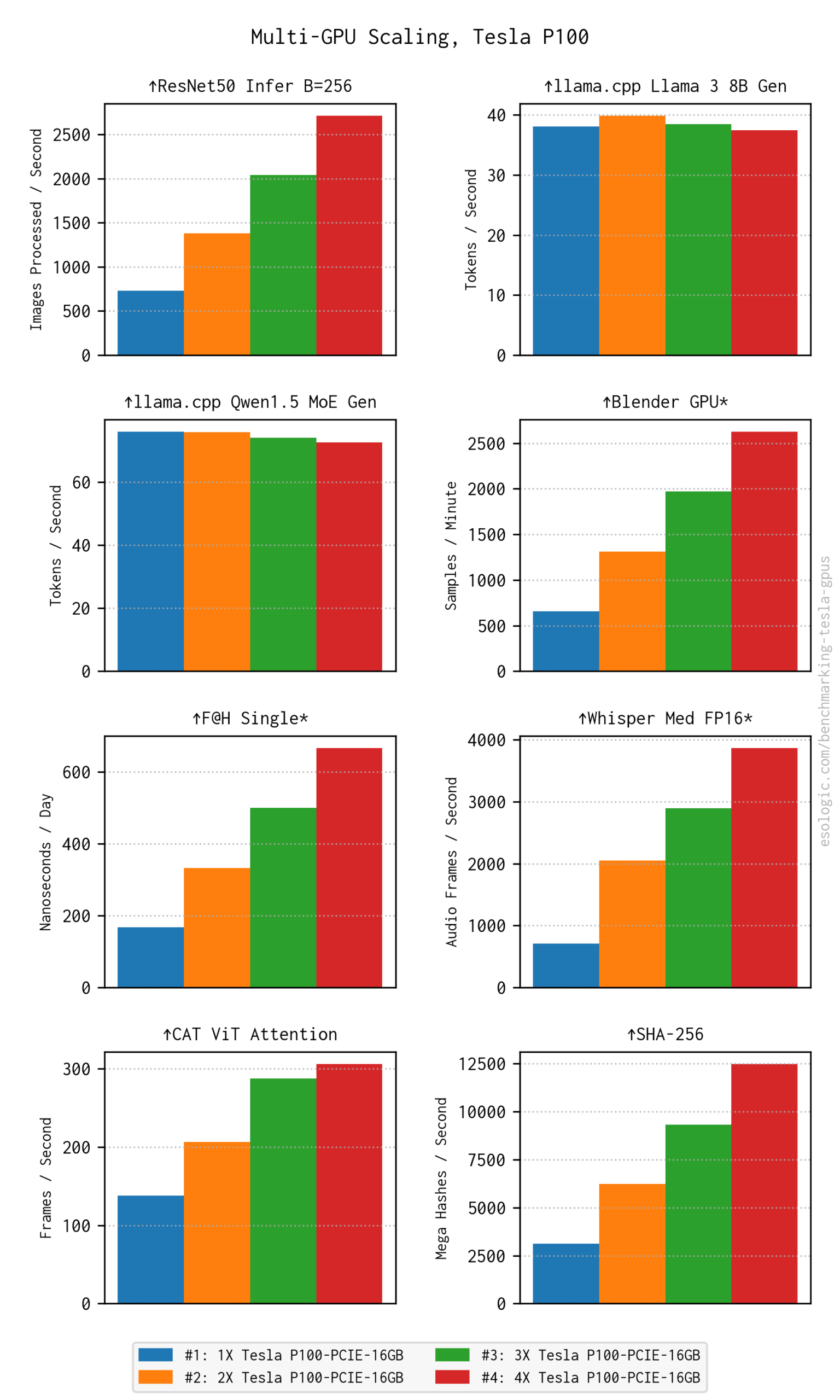
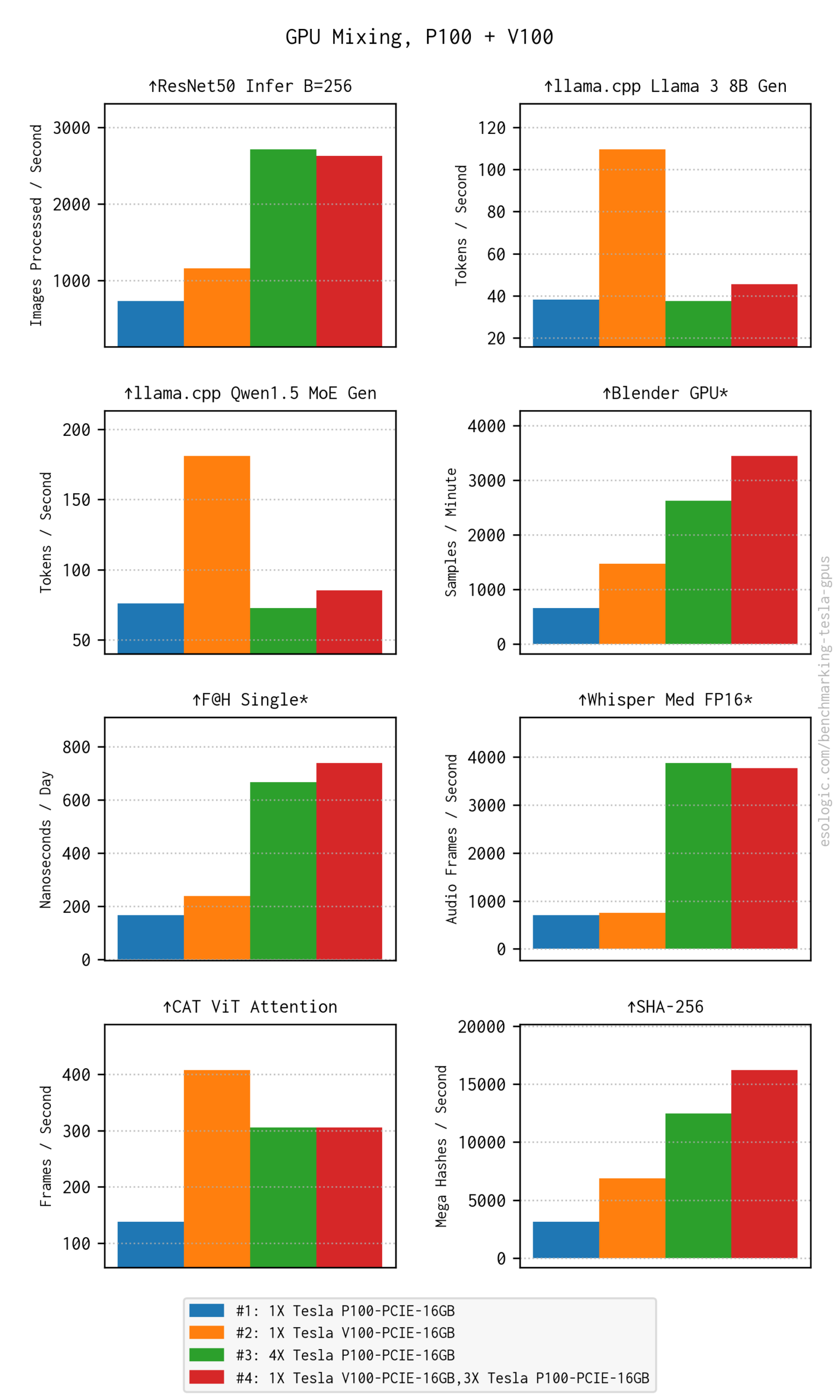
- If the software supports multi-GPU scaling, a final test runs across the entire pool.
Sample JSON Output:
{
  "name": "resnet50_train_
  "gpu_id": 0,
  "throughput": "...",
  "latency": "..."
}
🖼️ Visual Data & Results
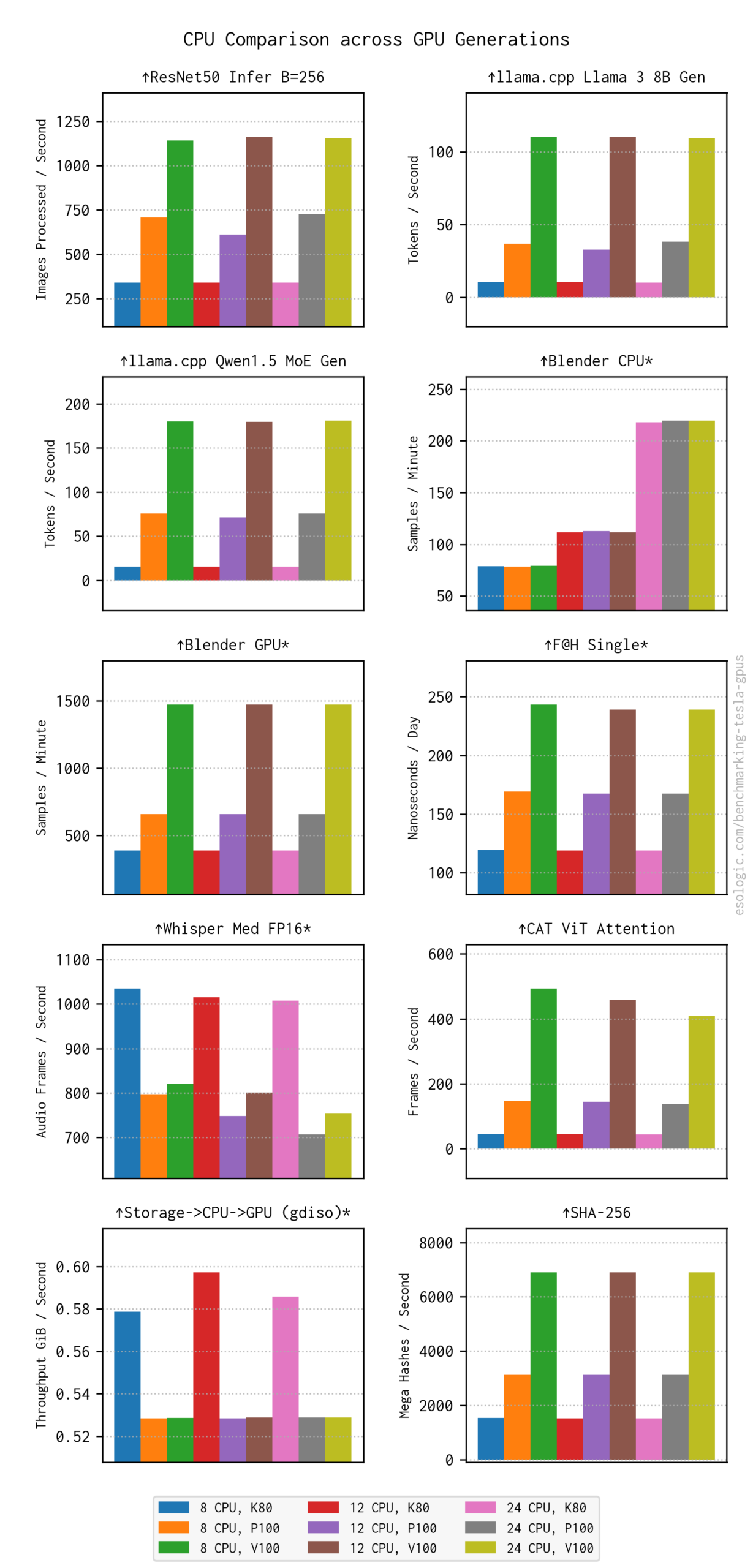
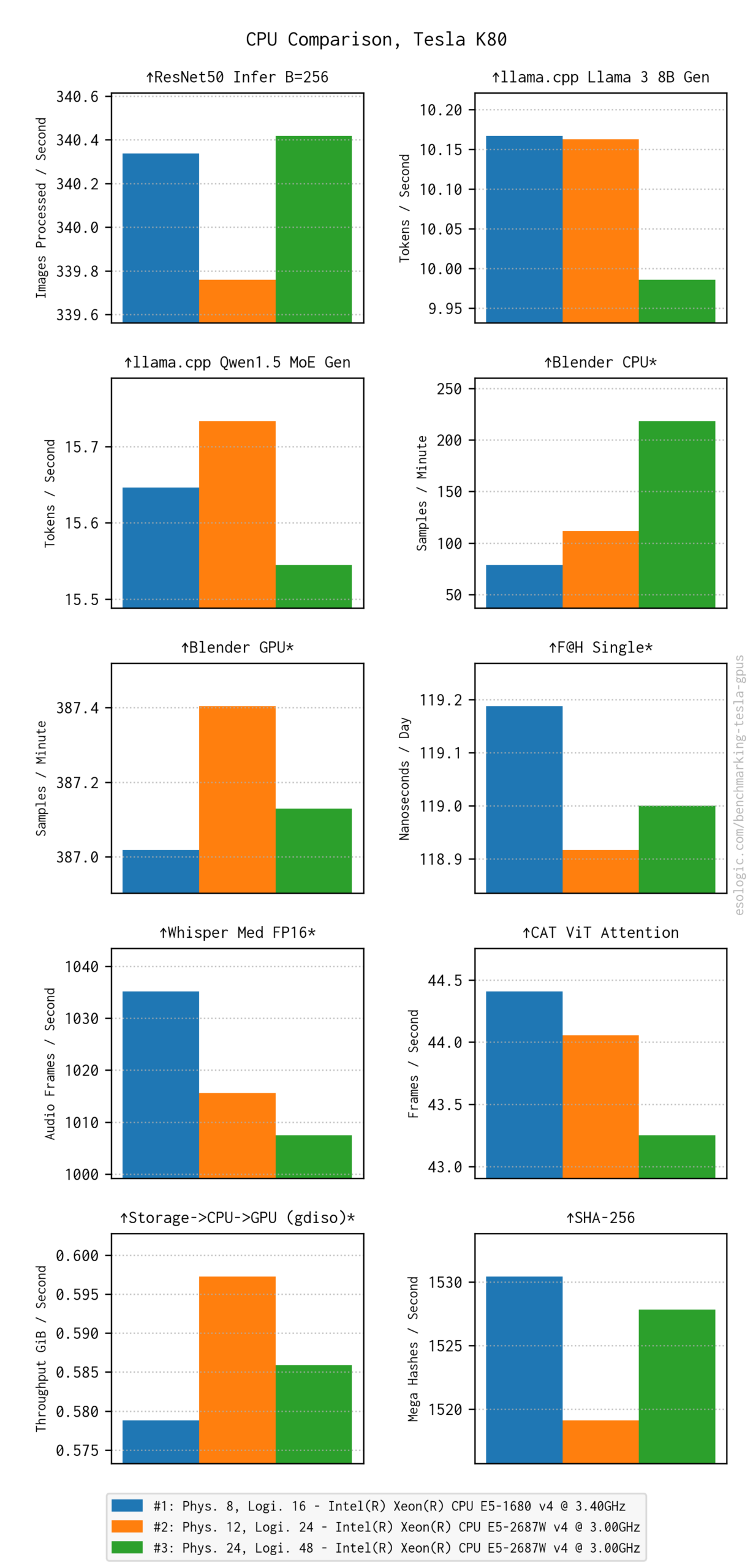
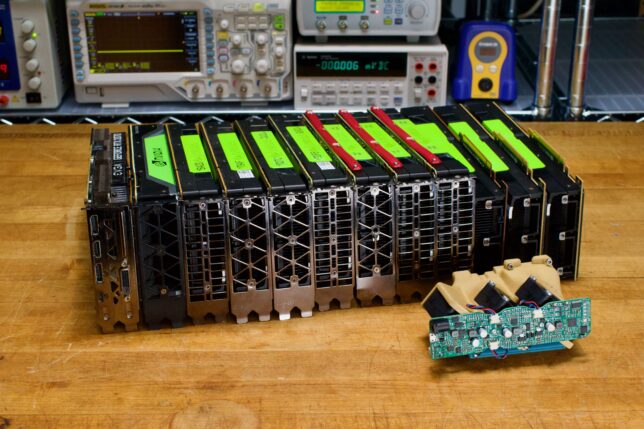
Below are the visual representations of the performance metrics across various configurations:
Hardware & Setup
LLM & AI Performance
Scaling & Mixing
CPU Baselines