The Agentic Loop: Three loops in a trench coat
The Agentic Loop: Three Loops in a Trench Coat
 By Robert Ross | July 14, 2026

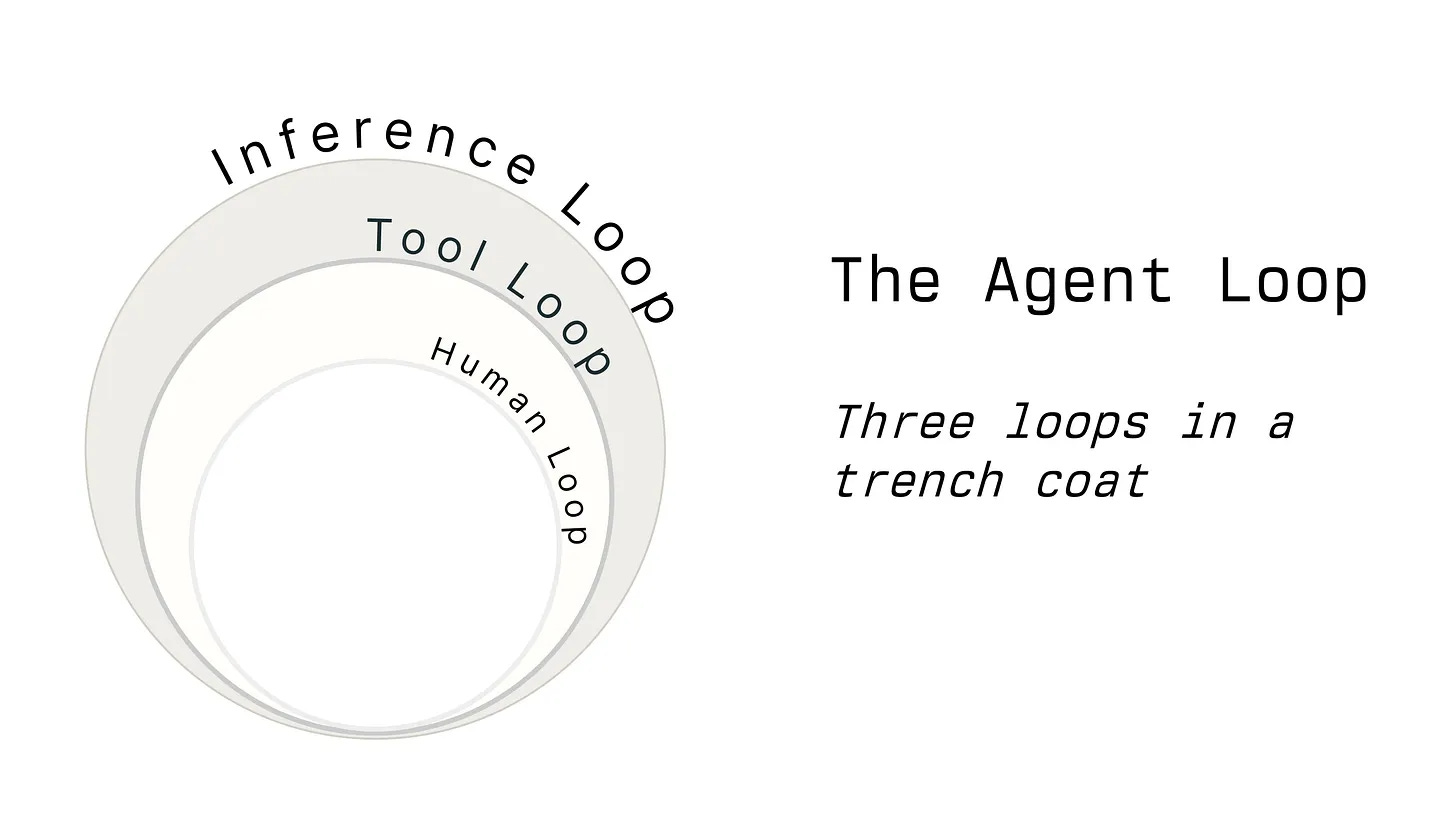
The architecture of autonomous agents is frequently oversimplified. While many describe them as a single "agentic loop," the reality is more like three distinct loops wearing a trench coat to look like one entity.
Note: The following examples use pseudo-code for conceptual clarity. I have omitted streaming to keep the logic clean, though the fundamental structure remains the same.
1. The Inference Loop
The most basic definition of a Large Language Model (LLM) is a system that predicts the next character or token in a sequence. When building an agent, the "outermost" layer you construct is the Inference Loop.
Core Responsibilities
- Executing chat completion API requests (predicting the next set of words).
- Routing tool usage requests to the specialized Tool Loop.
- Managing the persistence of chat history (storing user inputs and tool outputs).
Because most LLM APIs are stateless, the model has no memory of previous interactions. To maintain a conversation, you must send the entire history back to the provider every time. This leads to the common observation that:
Implementation Logic
The loop sends the system prompt, the conversation history, and a list of available tools to the endpoint. If the model decides to use a tool, the loop continues; if it provides a final answer, the loop terminates.
chatMessages = [
  { role: "system", content: "You are a couples therapist. Help people fix their relationships or realize they are doomed." },
  { role: "user", content: "I kinda miss Laney, what should I write to her?" }
]

continueInferenceLoop = true
while continueInferenceLoop
  inferred = aiClient.completeChat(messages: chatMessages)
  chatMessages.push({ role: "assistant", content: inferred.message.content, toolCalls: inferred.toolCalls })

  if inferred.toolCalls.length == 0
    continueInferenceLoop = false
  else
    # Transition to the Tool Loop
  end
end

puts "Assistant responded with: #{chatMessages.last.content}"
2. The Tool Loop
When the LLM decides to act, it doesn't "run" the code itself. Instead, it sends a request—essentially a brain signal—telling your system to execute a specific function.
The Mechanics of Tool Calling
The tool definitions are typically serialized into the system prompt. When the model "calls" a tool, it is simply predicting the text that represents a function call.
| Component | Description |
|---|---|
tool_call_id | A unique identifier used to correlate a request with its result. |
parameters | The arguments the LLM hallucinated (or correctly identified) for the function. |
tool_result | The actual output of the function sent back to the LLM. |
Handling the "Chaos" of Inference
Because tool calls are just predicted text, they are subject to hallucinations. You must be defensive:
- Invalid Tools: If the model calls
call_my_ex_girlfriendbut that function doesn't exist, return aTool Not Founderror. - ID Correlation: If you omit the
tool_call_idin the response, the API will likely crash. - Error Reporting: Some providers lack formal error states. In these cases, wrap the error in XML tags:
<tool_call_error>Phone number blocked</tool_call_error>. (Note: Anthropic provides anis_errorfield).
# Example of the Tool Loop integration
tools = [
  { type: "function", function: { name: "send_ex_girlfriend_an_email", parameters: { ... } } }
]

# Inside the inference loop...
while tool = inferred.toolCalls.shift
  # Execute the actual logic based on tool.name
  toolResult = execute_tool(tool)

  chatMessages.push({
    role: "user",
    content: [{ type: "tool_result", toolCallId: tool.toolCallId, content: toolResult }]
  })
end
3. The Safety (or Sanity) Loop
If you want actual control over your agent, you need a third layer: the Safety Loop. This is where you approve, deny, or redirect the agent's actions.
A Different Kind of "Loop"
Unlike the first two, this isn't necessarily a programmatic while loop in your code. It is a blocking function call. The "looping" happens externally—within the mind of the human approver or a separate steering system.
Example Implementation
while tool = inferred.toolCalls.shift
  result = case tool.name
  when "send_ex_girlfriend_an_email"
    # This blocks the execution flow
    decision = wait_for_approval(tool.parameters)

    if decision.approved?
      send_email(tool.parameters[:email_message])
      result = "Email sent"
    elsif decision.denied_with_instructions?
      result = "User denied this; try a softer tone."
    end
  end
end
Summary of the "Trench Coat"
To build a truly agentic experience, you aren't building one loop; you are orchestrating three:
- Inference: The "Brain" (Predicting and remembering).
- Tool: The "Hands" (Executing and reporting).
- Safety: The "Conscience" (Approving and steering).
