More Tailscale tricks for your jailbroken Kindle
Advanced Tailscale Techniques for Your Jailbroken Kindle
If you were quick enough to install Tailscale on your jailbroken Kindle before the firmware updates locked you out, you already have a powerful tool at your disposal—even if the initial experience felt limited.
Fortunately, the open-source community (specifically those digging through GitHub) has been working to optimize Tailscale for one of the most underpowered devices in the average home.
🚀 New Capabilities
Thanks to an updated implementation by Mitanshu Sukhwani, jailbroken Kindle users now have access to several high-value features:
- Default Tailscale SSH: You no longer need to rely on
USBnetworking SSH and its painfully predictable default credentials. - Proxy Mode: This allows specialized apps like KOReader to communicate with other nodes on your tailnet (e.g., a Wallabag or Calibre/OPDS server).
- Full TUN Mode: On compatible hardware, this enables networking at the actual device level.
Warning: This is community-driven code running on an unofficial device state. Proceed with patience and a willingness to troubleshoot.

Understanding the Networking Shift: From Userspace to Proxy
Previously, Tailscale on Kindle operated in a basic capacity. Your device would appear in the admin console with a green dot, and you could SSH into it. However, "being reachable" is not the same as "routing traffic."
The "Userspace" Problem
Most Kindle Tailscale installs are restricted to userspace mode. This means they cannot interact with the device's kernel-level network routing (TUN mode).
The failure logic looked like this:
The Proxy Solution
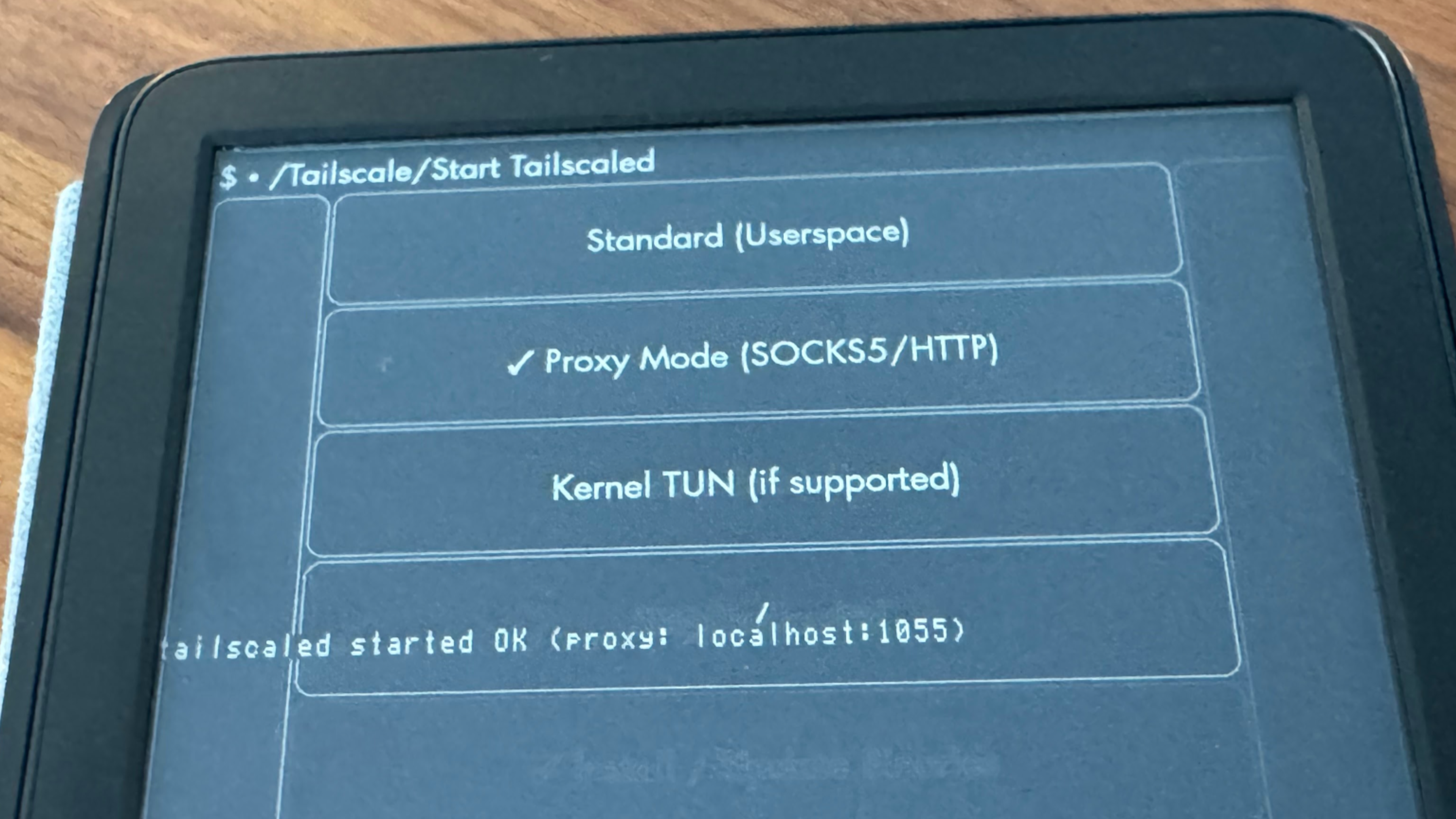
A KUAL app update by greywolf1499 introduces a workaround. Instead of trying to force the OS to route traffic, it uses a proxy.
Now, the process is streamlined:
- Launch Tailscale in Proxy Mode.
- Configure your app (like KOReader) to use the proxy at
127.0.0.1:1055. - The
tailscaleddaemon handles the routing to the Tailscale IP.
Supported Proxy Protocols:
SOCKS5HTTP CONNECT
Comparison of Kindle Tailscale Modes
| Mode | Level | Reachability | App Integration |
|---|---|---|---|
| Standard | Userspace | Inbound SSH works | Limited |
| Proxy | Application | Outbound to Tailnet | High (via config) |
| Kernel TUN | Device | Full Network Routing | Native |
Creative Use Cases for a Connected Kindle
Once you have a proxied Kindle, the possibilities for "weird" productivity increase significantly.
- Content Servers: Connect to Calibre or Wallabag.
- Audiobooks: Link to an Audiobookshelf instance via KOReader.
- Reading Sync: Use Readest to synchronize progress across all your devices.
- Self-Hosted Feeds: Connect KOReader's RSS reader to your own feed server.
- Web Access: Use the (admittedly clunky) Kindle browser for minimalist dashboards.
- The "Ultimate" Thin Client: Pair a Bluetooth keyboard and use
ktermto SSH into other nodes on your tailnet.
Is a Kindle-based SSH terminal practical? Probably not. But is it satisfying? Absolutely.
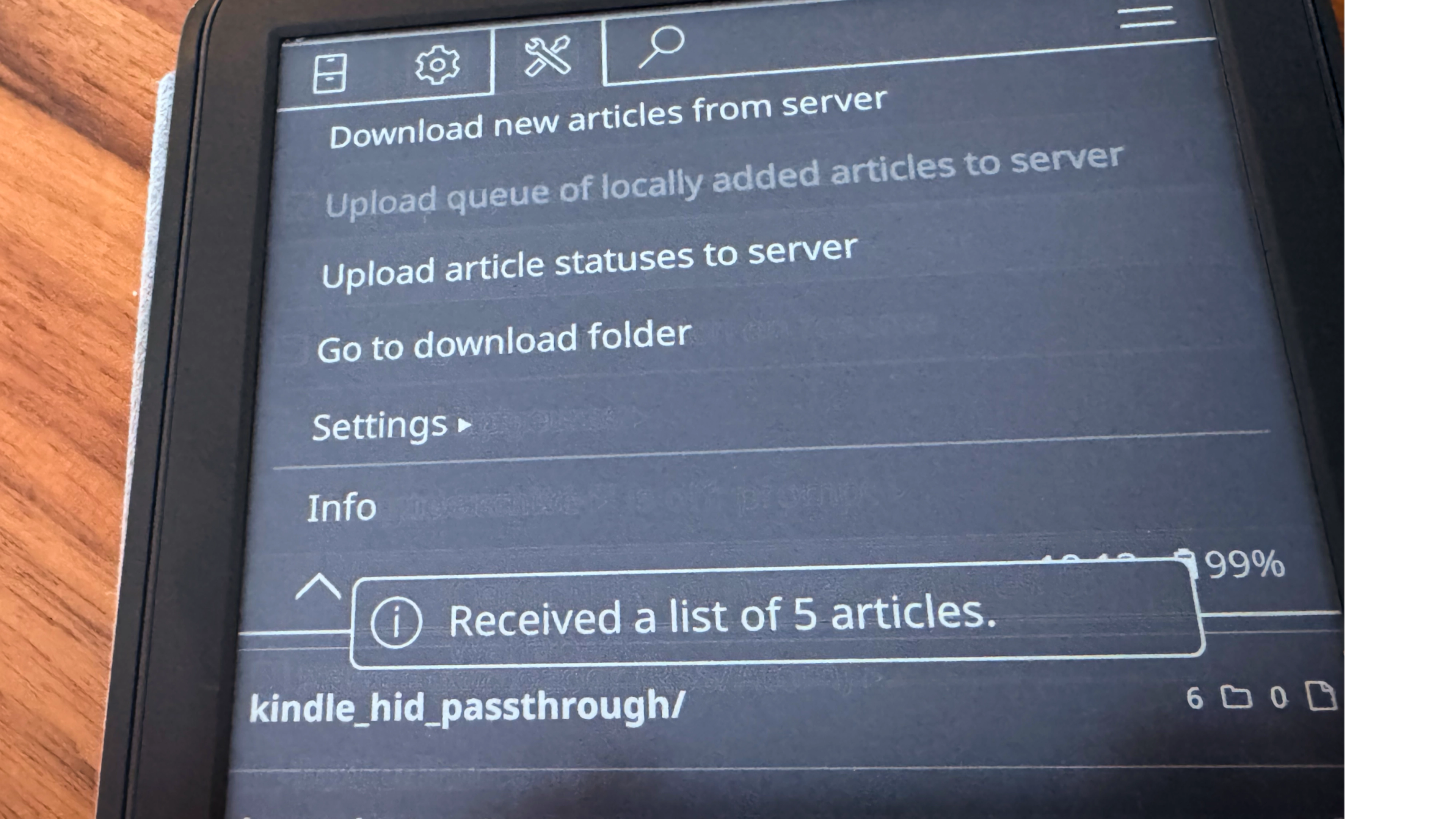
The KOReader Tailscale Plugin
For those who only care about functionality within KOReader, Victoria Riley Barnett has developed a dedicated plugin. This is also compatible with Kobo and PocketBook devices.
Note: Unlike the KUAL method, this plugin does not make your Kindle reachable from the outside; it only allows the Kindle to reach out to your tailnet.
Installation Workflow
- Move the plugin into the KOReader
pluginsdirectory. - Select "Install/Update Tailscale" from the menu.
- Place your Tailscale auth key in the designated directory.
- Enable Tailscale via the KOReader menu.
- Set the proxy addresses:
- SOCKS5:
127.0.0.1:1055 - HTTP CONNECT:
127.0.0.1:1056
- SOCKS5:
This plugin integrates seamlessly with the SyncThing plugin for KOReader, turning your e-reader into a highly synchronized node.
Final Thoughts
With KOReader acting as a quasi-OS and Tailscale providing the plumbing, these "strange little slabs" of e-paper are becoming surprisingly versatile.
If you've built a unique setup, share it with the community on:
Reddit | Discord | Bluesky | X | Mastodon | LinkedIn