Docker Sandboxes – Disposable, isolated sandboxes for AI agents
Docker Sandboxes: Secure, Ephemeral Environments for AI Agents
AI agents are becoming essential for development, but giving them full access to your machine is a security nightmare. Docker Sandboxes solve this by providing disposable, isolated environments where agents can operate with full autonomy without risking your host system.
Whether you are using Claude Code, Gemini CLI, Copilot CLI, Codex, OpenCode, or Kiro, these sandboxes ensure that unattended execution remains safe.
🚀 Quick Start Guide
Getting your environment set up takes only a few seconds. Follow the installation paths based on your operating system:
Installation Commands
| Platform | Command |
|---|---|
| macOS | brew trust docker/tap && brew install docker/tap/sbx |
| Windows | winget install Docker.sbx |
Setup Checklist
- Install the
sbxCLI via the commands above. - Configure your project workspace mount.
- Launch your preferred AI agent within the sandbox.
- (Optional) Enable "YOLO mode" for full autonomy.
# Example macOS installation flow
brew trust docker/tap
brew install docker/tap/sbx
🛡️ Why Use Sandboxes?
The traditional trade-off in AI agent deployment has been Speed vs. Safety. Usually, you either restrict the agent (slowing it down with constant permission prompts) or trust it blindly (risking your system).
Docker Sandboxes eliminate this conflict. By utilizing a dedicated microVM, the agent gets a real development environment where it can:
- Install new packages.
- Modify system configurations.
Wait for manual approval for every commandExecute tasks unattended.
The Architecture of Isolation
The following diagram illustrates how the Sandbox acts as a protective layer between the AI agent and your actual hardware:
🛠️ Key Capabilities
1. "YOLO Mode" Safely
By using the flag --dangerously-skip-permissions, you can grant agents total autonomy. While this sounds risky, the microVM isolation ensures that even if an agent "goes wild," the damage is contained within the disposable sandbox.
2. Docker-in-Docker
Unlike basic containers, these sandboxes allow agents to spin up their own Docker containers internally. This allows for complex testing and service orchestration without affecting the host's Docker daemon.
3. Tailored Environments
You define the boundaries. You have full control over:
- Filesystem Access: Only mount the specific project folders the agent needs.
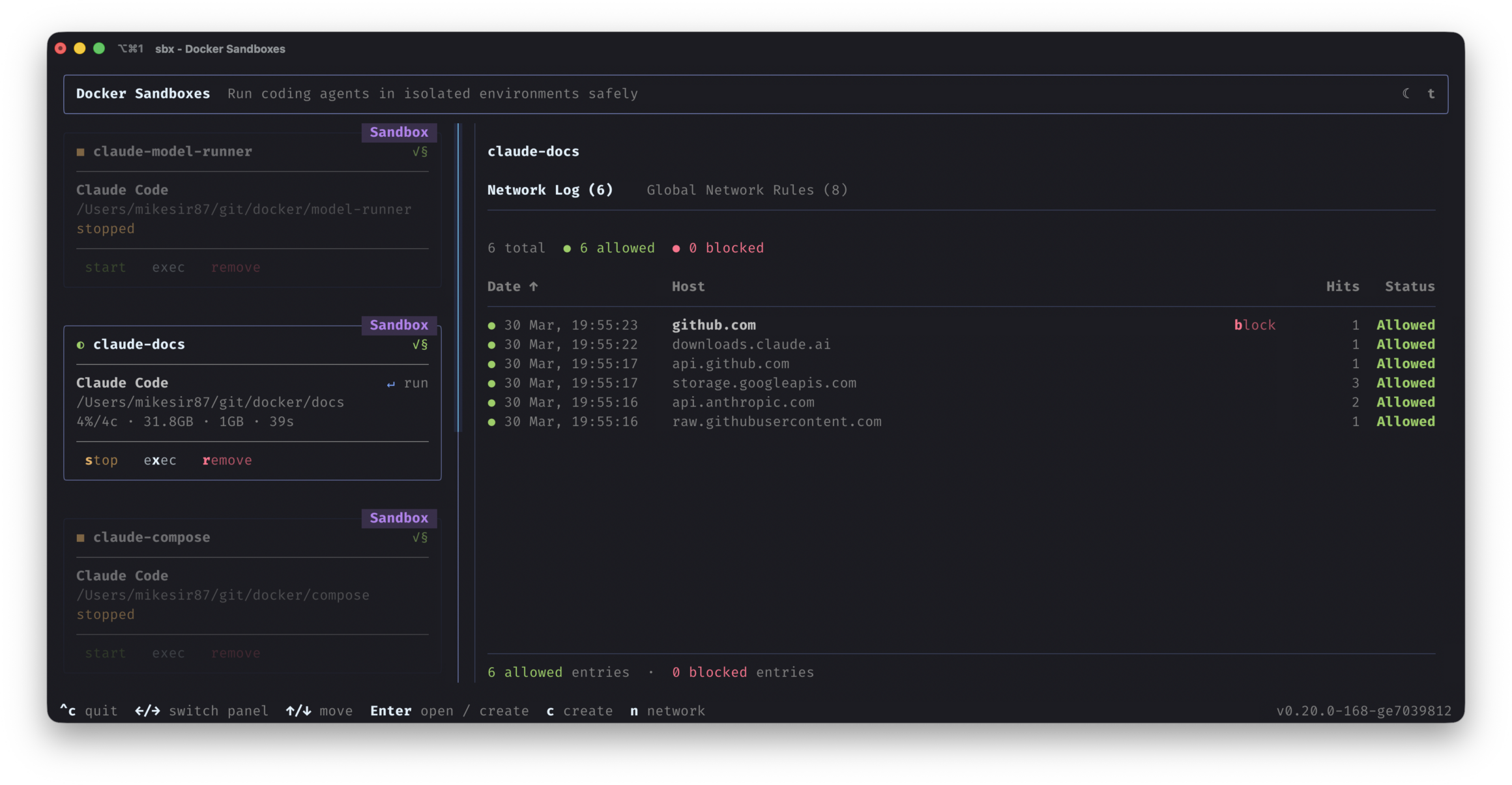
- Network Controls: Restrict where the agent can send or receive data.
4. The Safety Equation
Mathematically, we can view the security of this setup as:
🤝 Industry Integration & Perspectives
Docker Sandboxes are designed to be the infrastructure foundation for the next generation of AI-driven coding.
"NanoClaw was built on the principle that you don't trust agents with security, you build walls around them. Docker Sandboxes is what that looks like at the infrastructure level, making it possible for organizations to get the full value from agents without compromising on security." — Gavriel Cohen, Creator of NanoClaw
Furthermore, these sandboxes are being integrated into Warp, ensuring developers have a consistent, safe environment whether their agents are running on a local machine or in the cloud.

🏢 Scaling to the Enterprise: Docker AI Governance
While individual sandboxes are great for developers, organizations need centralized oversight. Docker AI Governance extends sandbox capabilities to the team level.
| Feature | Individual Sandbox | Docker AI Governance |
|---|---|---|
| Isolation | microVM | microVM |
| Configuration | Local/Manual | Centralized/Admin-defined |
| Network Policies | User-defined | Org-wide enforcement |
| MCP Governance | Basic | Advanced/Centralized |
| Filesystem Rules | Project-based | Policy-based across all devs |
If your team requires admin-level configuration, network access restrictions, or organization-wide MCP (Model Context Protocol) governance, Docker AI Governance provides the "defined once, enforced everywhere" framework.
❓ Frequently Asked Questions
What exactly is a "sandbox" in this context? It is a lightweight microVM. It provides stronger isolation than a standard container, protecting your network and filesystem from the agent's actions.
Which agents are supported? Out of the box, we support:
- Claude Code
- Gemini CLI
- Copilot CLI
- Codex
- OpenCode
- Kiro (Note: You can also configure your own custom agents.)
Is "YOLO mode" actually safe?
Yes, because the agent is trapped inside a microVM. The --dangerously-skip-permissions flag removes the annoyance of prompts, not the security of the isolation.
Why use a microVM instead of a full VM? MicroVMs provide the security boundaries of a virtual machine without the heavy resource overhead, allowing for fast startup times and efficient scaling.


