Qwen 3.8 27B is excellent, but it defaults to overthinking things
Qwen 3.8 27B: A Powerhouse with a Tendency to Over-Analyze
Released on Friday, August 16, 2026, Qwen 3.8 27B is the latest vision-capable LLM from Alibaba's Qwen research lab, distributed under the Apache 2 license.
For those of us running local models, a 27B parameter size is a "sweet spot"—it's small enough for a high-end laptop but large enough to be genuinely capable. Given that the previous version (Qwen 3.6 27B) was already impressive, expectations were high.
Performance and Benchmarks
According to internal data, this model outperforms both its predecessor and the closed-weight Qwen 3.7-Plus (which was a top-tier performer as of May 2026). While official numbers are eye-opening, the real test lies in independent benchmarking.
Testing Environment
I evaluated the model using LM Studio with a Q4_K_M quantization (approx. 17GB) across two different setups:
| Hardware | Specs |
|---|---|
| MacBook Pro | M5 Max with 128GB RAM |
| NVIDIA DGX Spark | Enterprise-grade GPU cluster |
The "Overthinking" Problem: reasoning_effort
The most striking feature of Qwen 3.8 is its support for a reasoning_effort parameter, which allows users to toggle the depth of the model's internal "thought" process.
The default setting is a great place to start. Actually, the default is xhigh, and it is absolutely wild.
On consumer hardware, this is often impractical. For instance, using LM Studio's default 8,192 token context limit, the model would exhaust the entire window just thinking about simple prompts. To fix this, I had to expand the context to the maximum tokens.
Case Study 1: The Pelican SVG
I asked the model to create an SVG of a pelican riding a bicycle.
The xhigh Experience:
- Time to generate: 21 minutes.
- Reasoning tokens: 22,276.
- Output tokens: 3,223.
The result was the most impressive local-model SVG I've seen:
- Correct bicycle frame geometry
- Legs on both sides of the bike (rarely achieved!)
- Distinctive pelican pouch
- Wings reaching the handlebars
- Motion lines placed correctly behind the subject
- Detailed background (sun, clouds, flora)

The "No Reasoning" Experience: By turning reasoning off, the generation time dropped to 137 seconds (3,715 tokens), but the quality suffered significantly.

Note: For comparison, the massive Qwen 3.8 2.4T-A95B (via OpenRouter) produced a fully animated SVG.
Case Study 2: The Simple Circle
To test the limits of "overthinking," I gave a basic prompt: draw an svg of a circle. With xhigh enabled, the model's internal monologue looked like this:
"The user is asking for an SVG drawing of a circle. Simple request — but I want it to be a carefully crafted piece. Let me make something that goes beyond just circle... maybe a geometric 'circle study,' with subtle animation, layered rings, and a distinctive palette... Bauhaus/compass-drawing vibe."
Minutes later, it delivered a stunning, animated geometric masterpiece. It was beautiful, but it wasn't what I asked for.
Verdict: Start with low or no reasoning; only scale up if the task is truly complex.
Vision Capabilities & Bounding Boxes
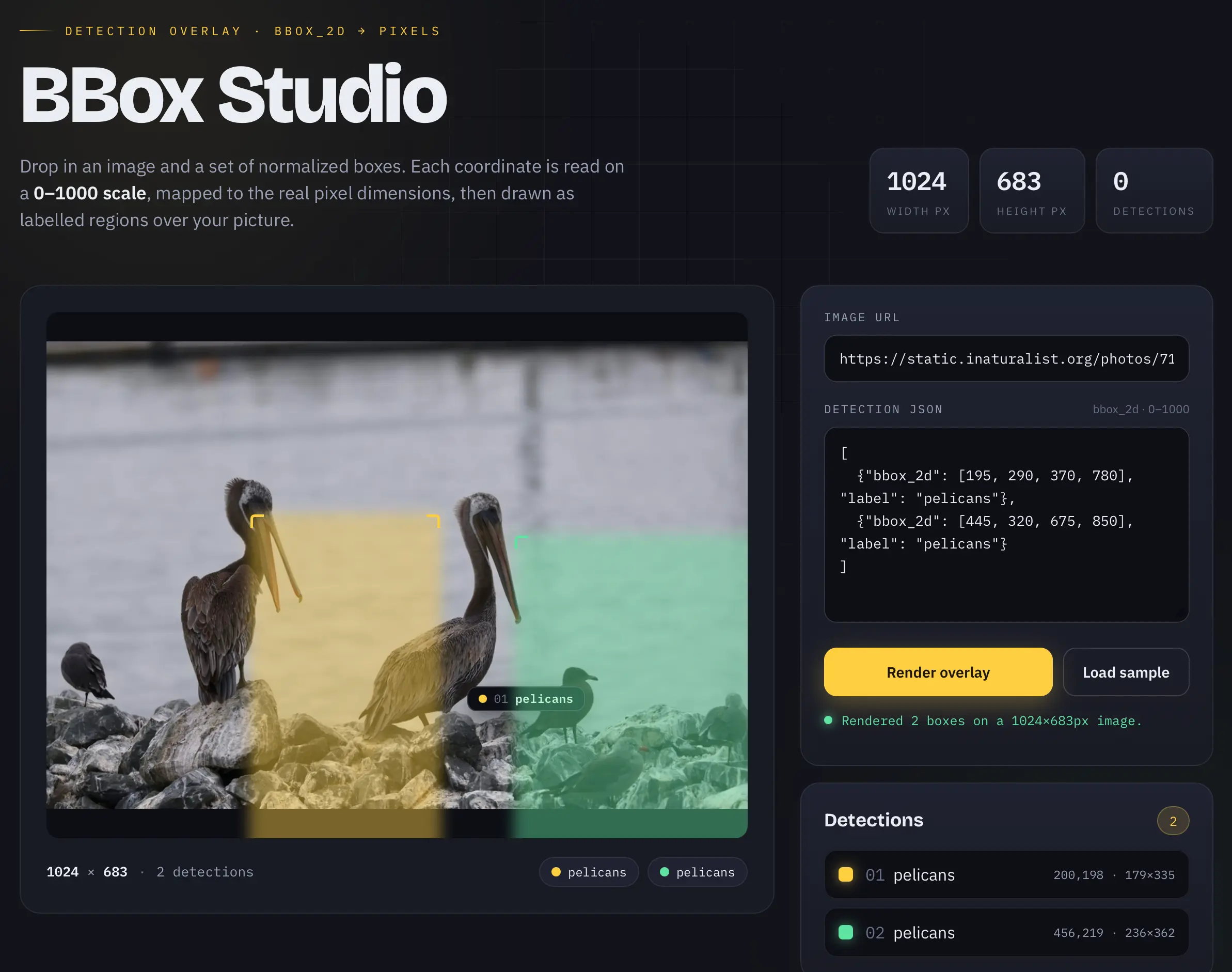
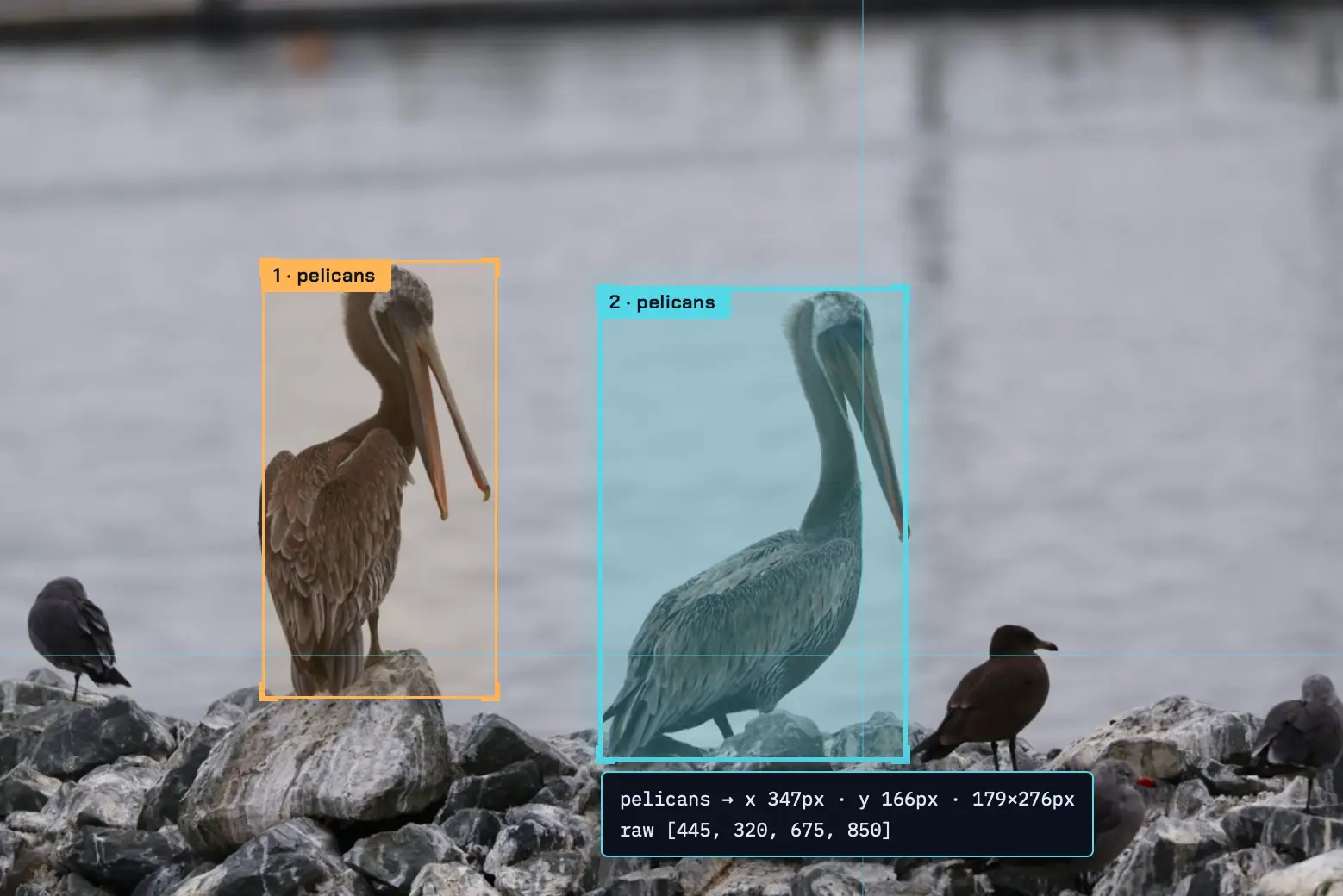
Qwen 3.8 is exceptionally skilled at object detection. I tested its ability to return bounding boxes for pelicans in a photo using a 0-1000 normalized scale.
The Command:
llm -a https://static.inaturalist.org/photos/714731804/large.jpg \
    -m lmstudio/qwen/qwen3.8-27b \
    'Return JSON bounding boxes for the pelicans in this photo, 0-1000 scale for each dimension'
The Output:
[
  { "bbox_2d": [195, 290, 370, 780], "label": "pelicans" },
  { "bbox_2d": [445, 320, 675, 850], "label": "pelicans" }
]
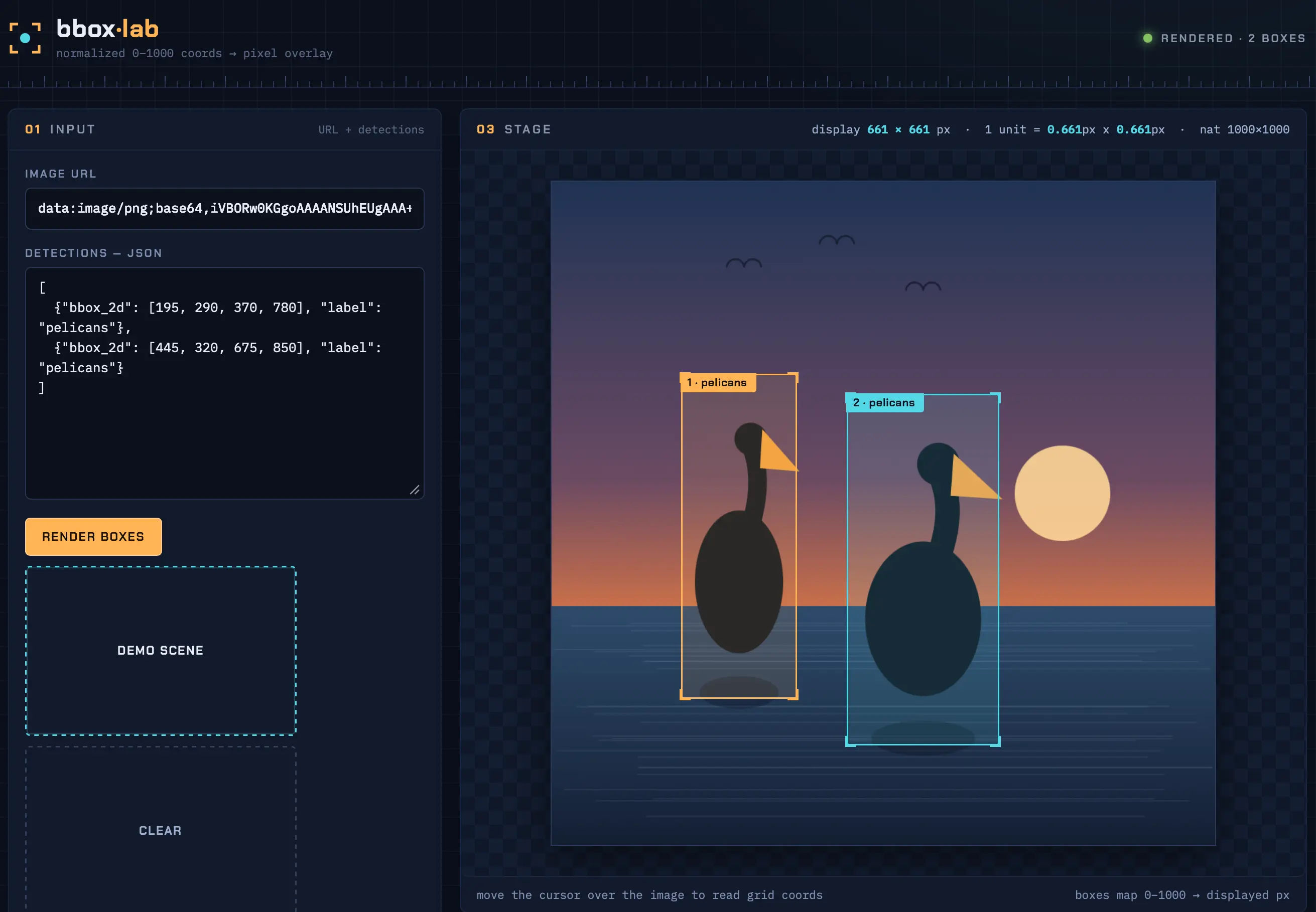
The accuracy was spot on. To visualize this, I had Qwen 3.8 27B build a custom HTML tool. The tool uses the following logic to convert normalized coordinates to pixels:
True to form, because I forgot to lower the reasoning effort, the model over-engineered the tool. It didn't just build the requested visualizer; it created a full interface including a "demo scene" for users without their own images.