OpenShot 4.0 – Open-source video editor
OpenShot 4.0: A New Era of Open-Source Video Editing

"OpenShot 4.0 has arrived, bringing some of the biggest creative workflow upgrades in our history." — Jonathan, Aug 30
The release of OpenShot 4.0 represents a massive leap forward, transforming the software into a faster, more comprehensive, and more imaginative tool for creators. Users can now integrate screen recording, webcam capture, and professional-grade color grading directly within their projects.
🚀 Key Highlights of Version 4.0
The update introduces a suite of powerful tools designed to streamline the editing process. Here is a breakdown of the primary enhancements:
| Feature | Description |
|---|---|
| New Color View | Professional grading via color wheels, curves, LUTs, and live scopes. |
| Recording View | Direct capture of mic, screen, and webcam as separate, editable tracks. |
| 10 New Effects | Includes audio-reactive graphics, cinematic looks, and animated timers. |
| Local AI Masks | Subject isolation using on-device ML models ( |
| Refined Timeline | Enhanced zooming, smoother keyframes, and editable timecodes. |
| Performance Boost | Significant speed increases for Blur, Sharpen, and rendering. |
| Modern Core | Expanded Qt 6 support for better Linux compatibility and future Android ports. |
🛠️ Implementation Checklist
- Integrate Recording View
- Deploy Color Grade effect
- Optimize
BlurandSharpenfilters - Implement local AI-powered masking
- Update User Guide with color theory chapter
🎨 Mastering the New Color View
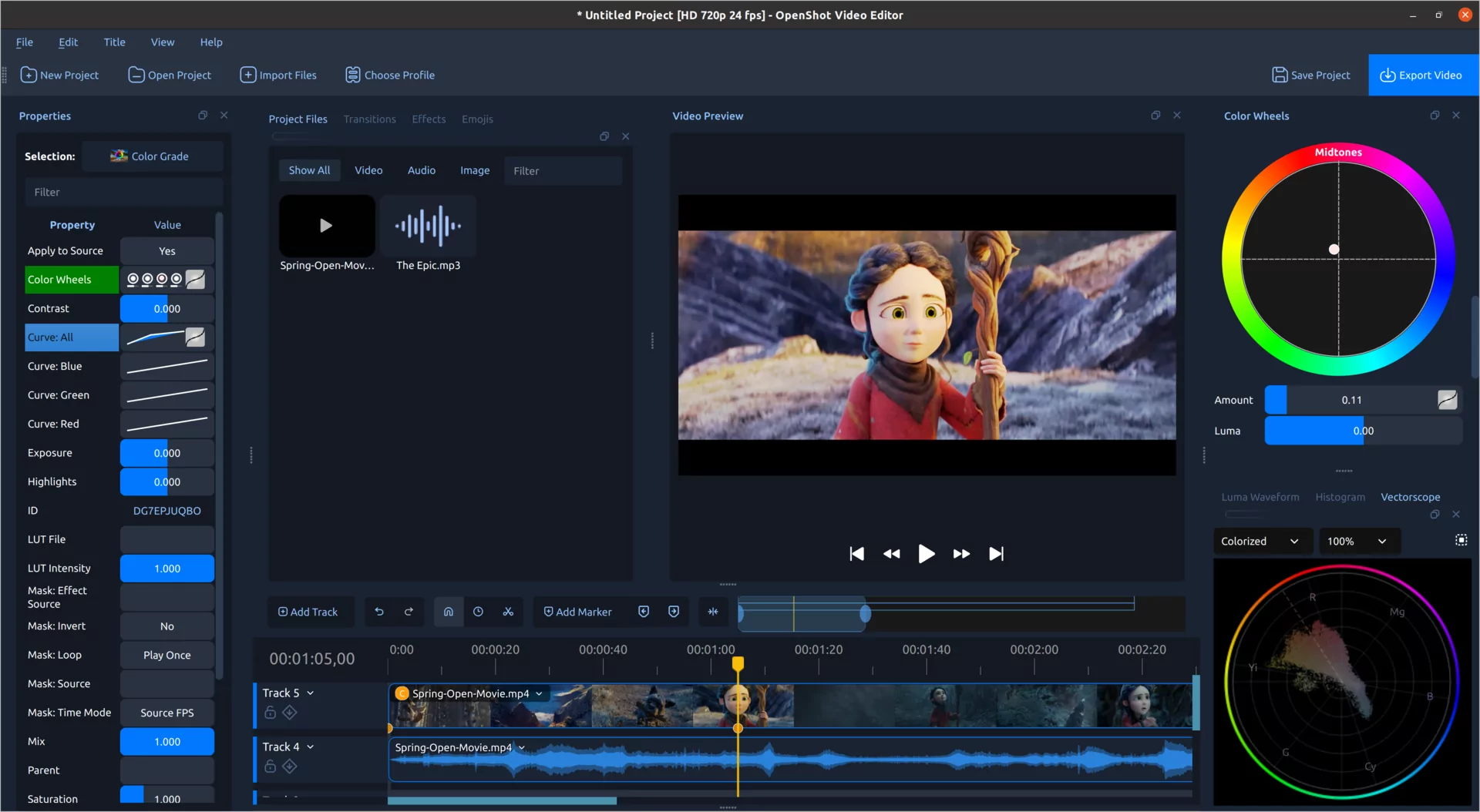
Color is more than just aesthetics; it is a tool to fix technical errors, direct the viewer's eye, or evoke specific emotions. OpenShot 4.0 centralizes these capabilities in the Color View, which features a large preview window surrounded by properties, wheels, and scopes.
The Color Grade Effect
You don't need to be a certified colorist to achieve professional results. By selecting the new Color Grade effect, users gain access to a tiered workflow:
- Basic Correction: Adjust exposure, contrast, temperature, tint, highlights, shadows, saturation, and vibrance.
- Creative Grading: Use dedicated color wheels for Global, Shadows, Midtones, and Highlights adjustments.
- Precision Control: Four editable curves (Master, Red, Green, Blue) with smooth Bézier handles.
LUT Integration and Blending
OpenShot now supports industry-standard .cube LUT files. Rather than a binary "on/off" switch, users can control the intensity of the LUT using a blending formula:
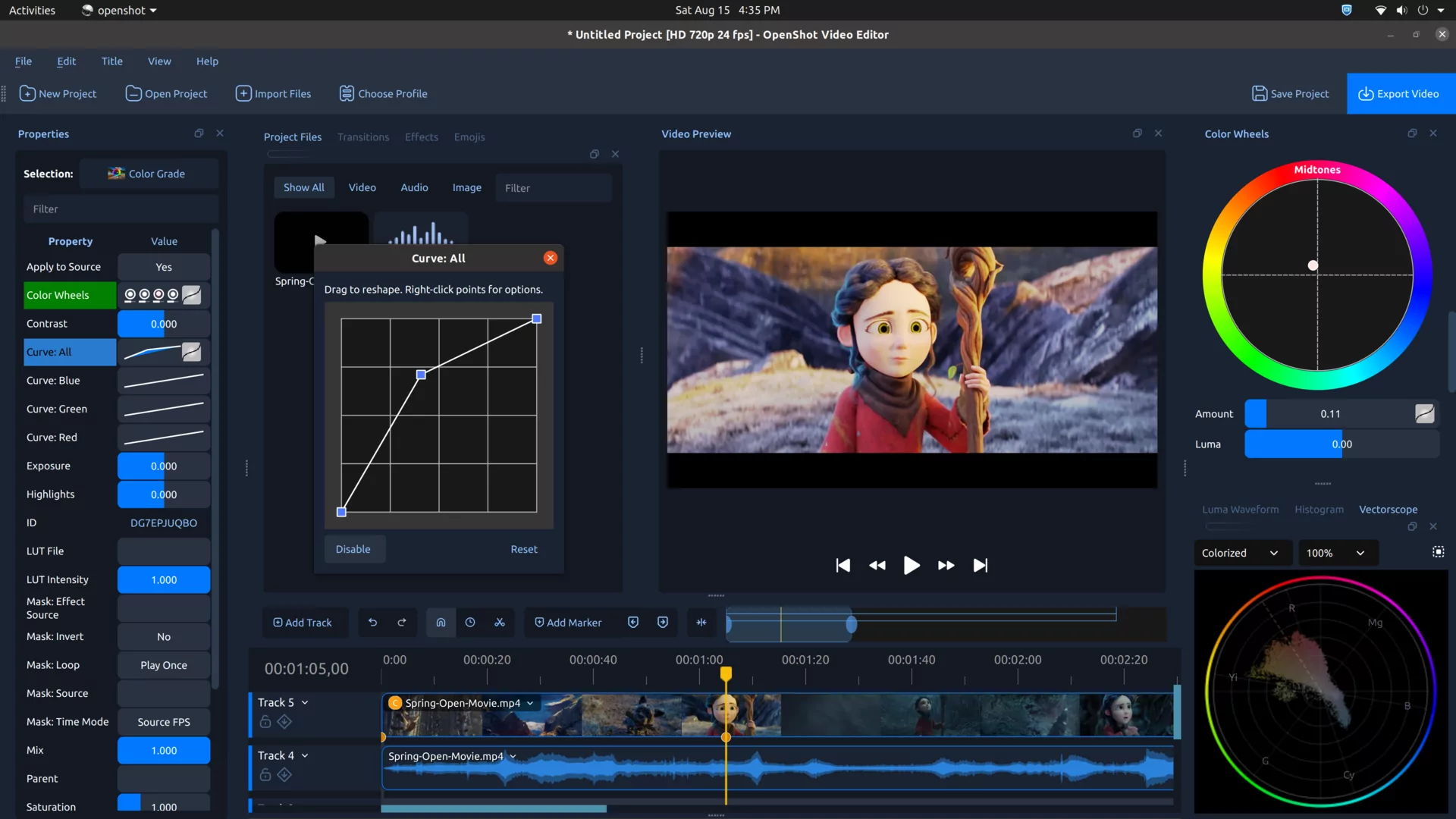
Pro Tip: All color settings—including wheels, curves, and LUT intensity—can be animated over time to handle shifting light or create stylized transitions.
📉 Visualizing Data with Video Scopes
Since monitors can be unreliable due to room lighting or calibration, OpenShot 4.0 provides objective data via professional scopes:
- Luma Waveform: Monitor brightness levels.
- Histogram: Analyze the distribution of tones.
- RGB Parade: Compare color channels for balance.
- Vectorscope: Check saturation and ensure skin tones stay on the reference line.
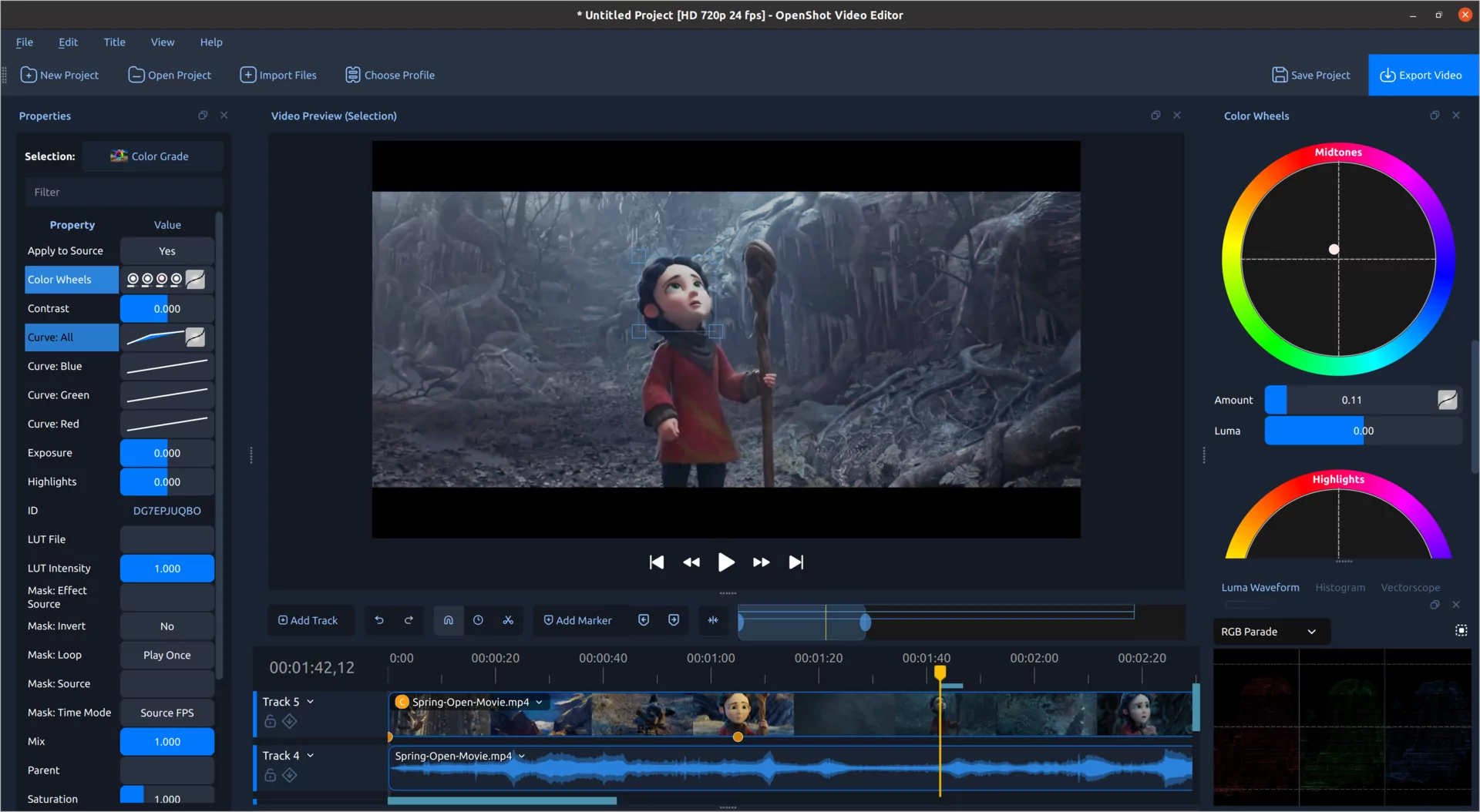
Regional Analysis: You can draw a bounding box over a specific area (like a face or the sky) to isolate that region's data in the scopes.
🎙️ Integrated Recording Workflow
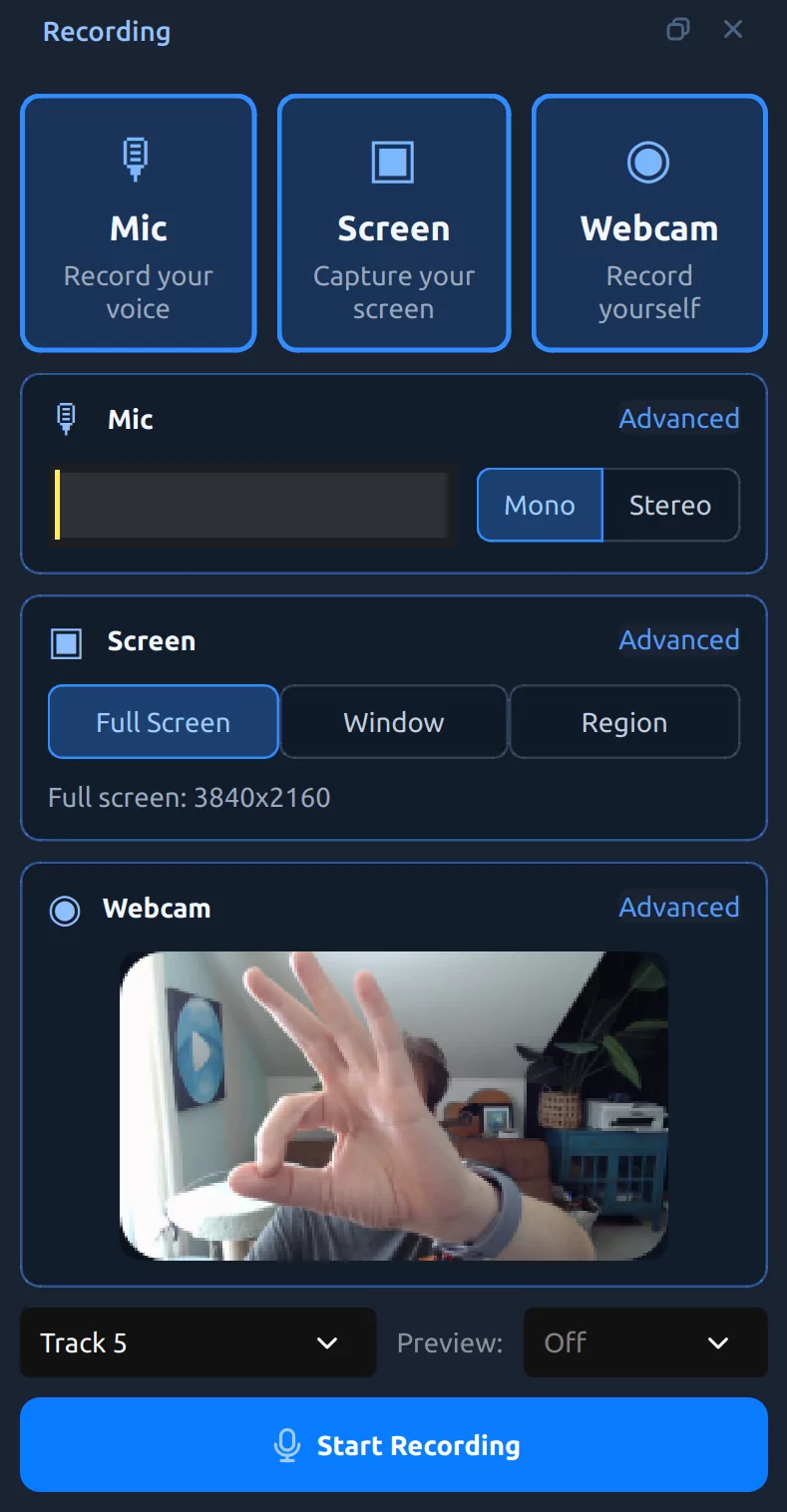
The new Recording View eliminates the need for external capture software and tedious import processes.
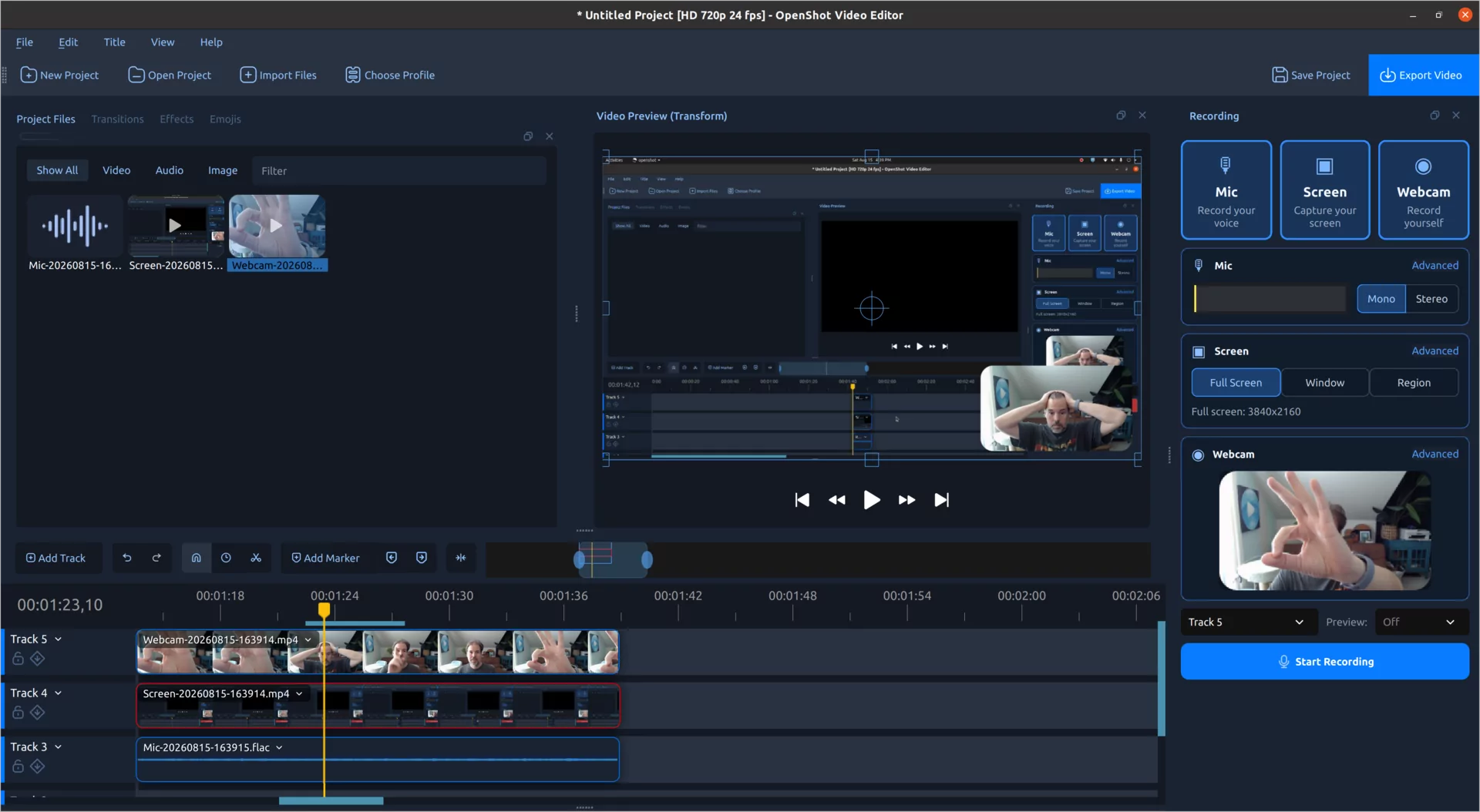
By recording sources separately, you maintain total control. You can:
- Trim a verbal mistake in the audio without affecting the video.
- Crop the webcam feed or move the picture-in-picture window.
- Apply unique effects to the screen capture while keeping the microphone clean.
⚡ Performance and AI
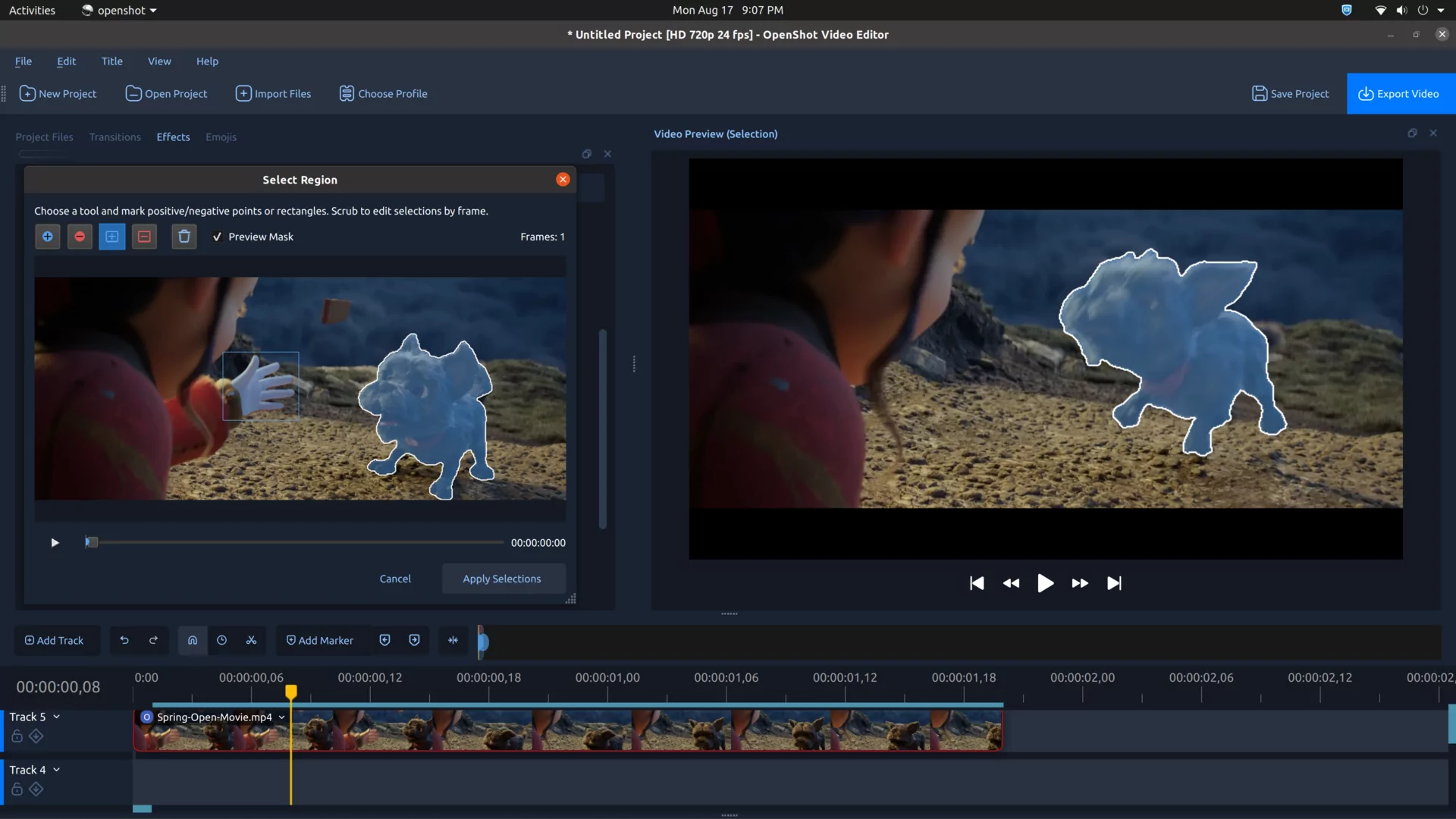
AI-Powered Masking
OpenShot now utilizes locally run machine learning models to create masks. This allows users to select and track subjects without relying on expensive cloud services.
Audio Visualizations and Speed
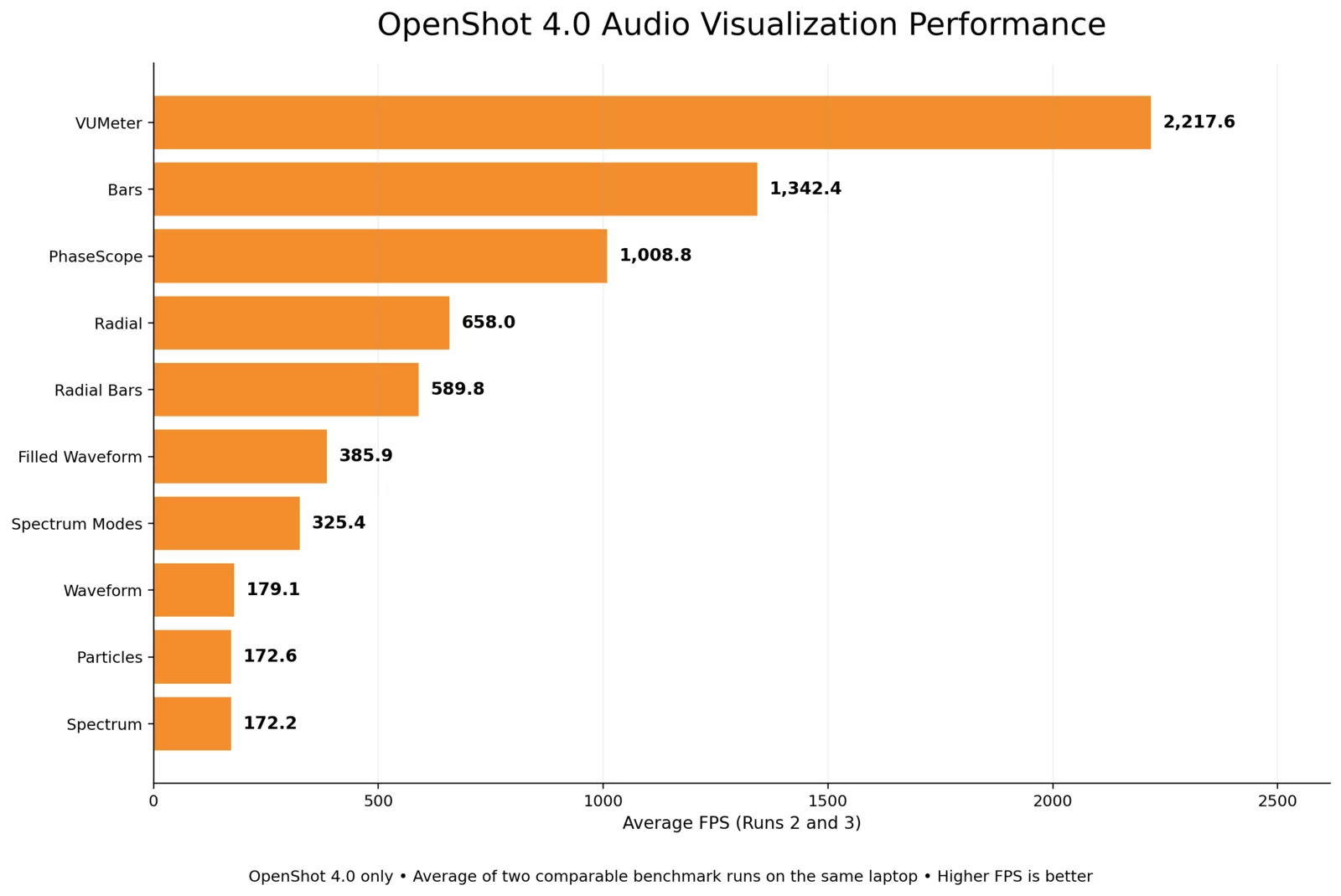
The update introduces audio-reactive graphics, such as rainbow bars and radial spectrums.
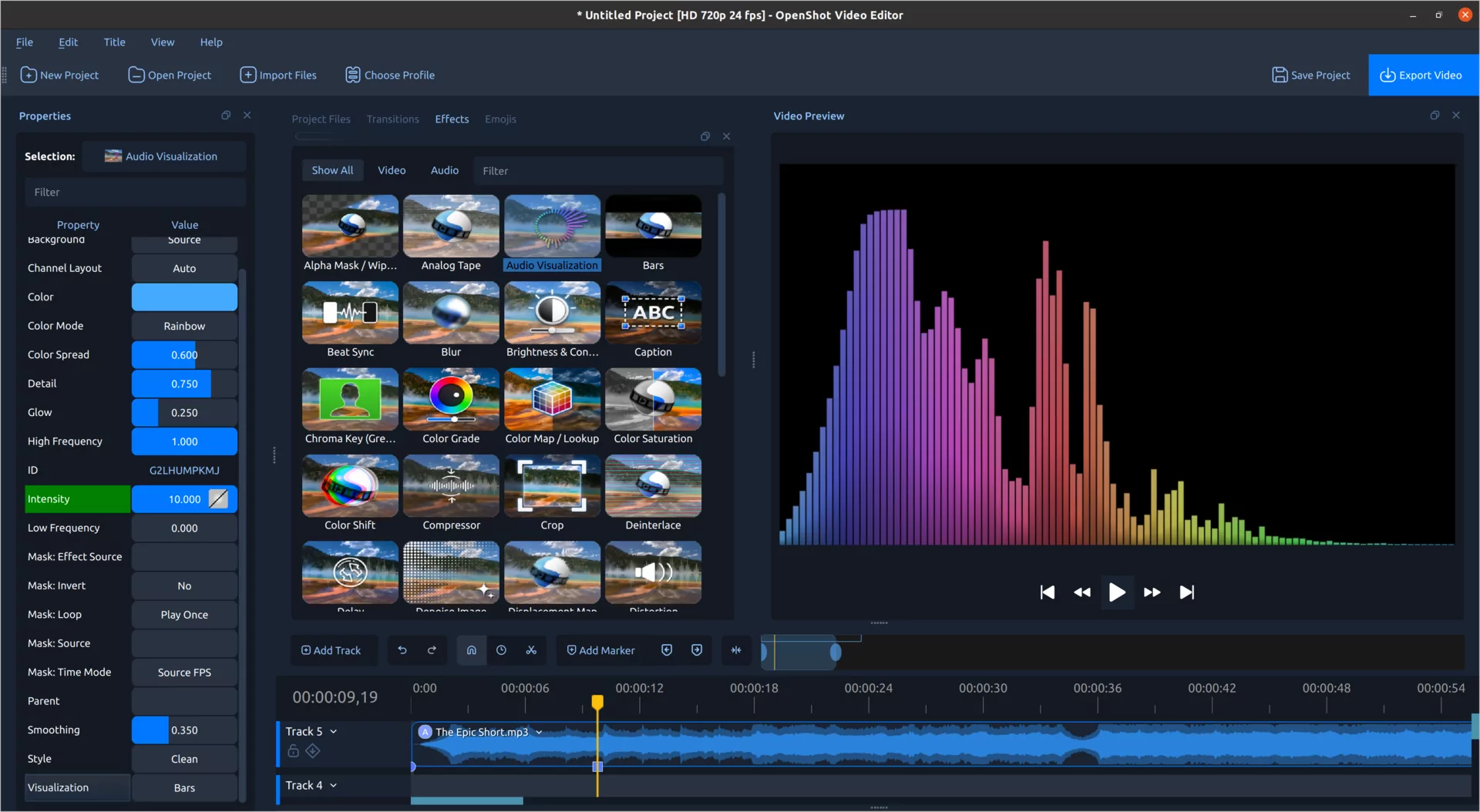
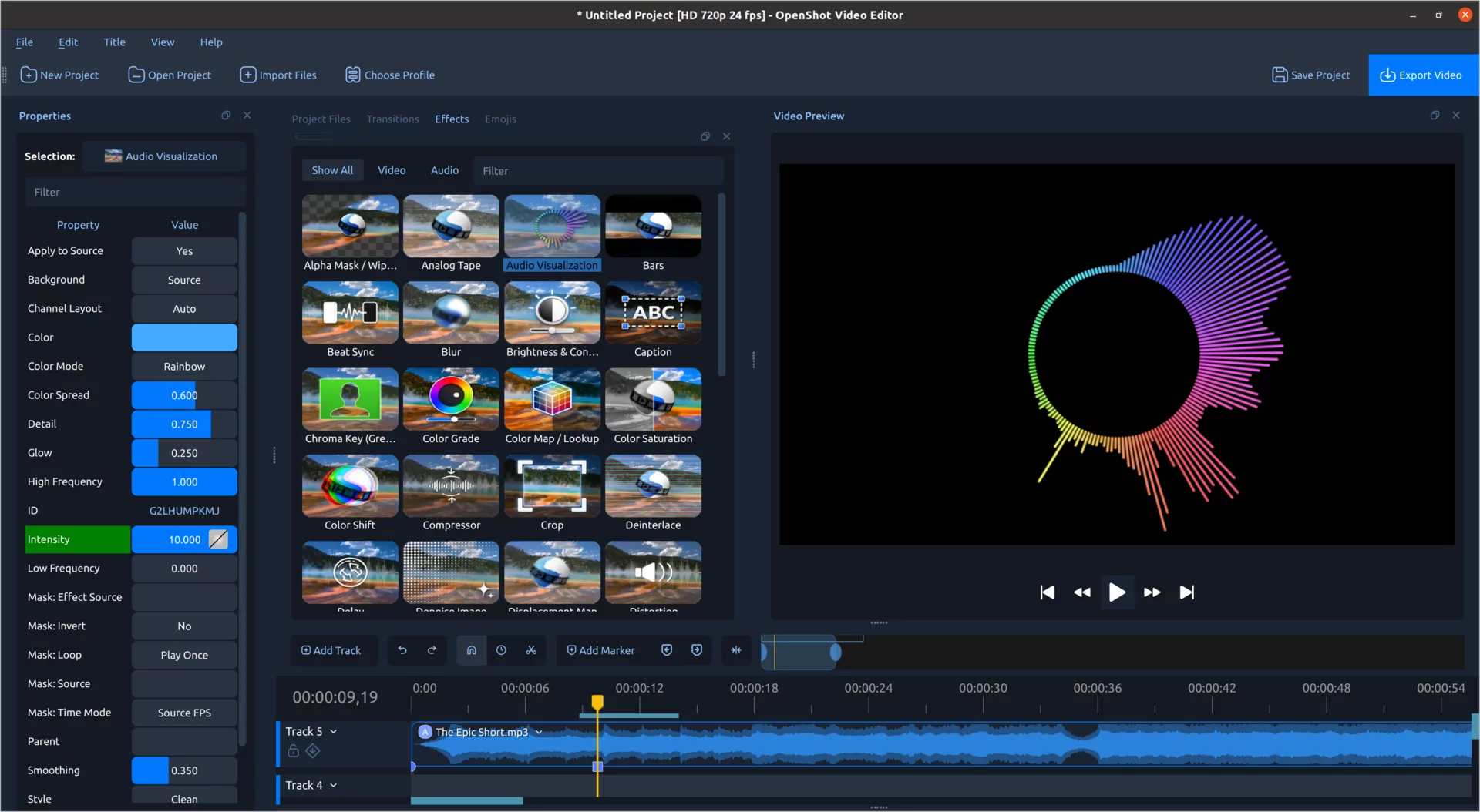
Performance benchmarks show a massive increase in processing rates for these visualizations:
Technical Foundation
To ensure longevity, OpenShot has moved toward Qt 6. This improves the experience on modern Linux distros and prepares the software for a future on Android.
# Example: OpenShot is now more compatible with
# modern Linux environments using Qt 6 libraries.
sudo apt install openshot-qt6 # (Conceptual command)
For those wanting to dive deeper, a comprehensive new chapter on color has been added to the OpenShot User Guide, covering everything from skin tones to Bézier curves in plain language.