Software occlusion culling in Block Game
Software Occlusion Culling in Block Game
By Eniko Fox | January 16, 2026
My current development machine is powered by an AMD Ryzen 7 5700G, which means I'm relying on the integrated Radeon Vega 8 graphics. To be clear: my workstation is a beast not a graphical powerhouse.
To put this into perspective, here is how it stacks up against my absolute minimum hardware target:
| Hardware | Component | UserBenchmark Relative Speed |
|---|---|---|
| Workstation | Radeon Vega 8 (iGPU) | 100% (Baseline) |
| Target "Potato" | 2012 Laptop GPU | ~52% (Vega 8 is 48% faster) |
Side Note: I know people argue that UserBenchmark is inaccurate, but it's not that deep. I just find it hilarious that a modern iGPU isn't significantly more powerful than a mediocre laptop GPU from 14 years ago.
Because I want my "Block Game" (working title) to run smoothly even on a potato, I decided to implement a software-rendered occlusion culling system. Since the game consists of axis-aligned cubes and features massive amounts of hidden geometry (like sprawling underground cave systems), this felt like the right approach. While other algorithms exist, they are often overly complex; I wanted something conceptually straightforward.
The Results
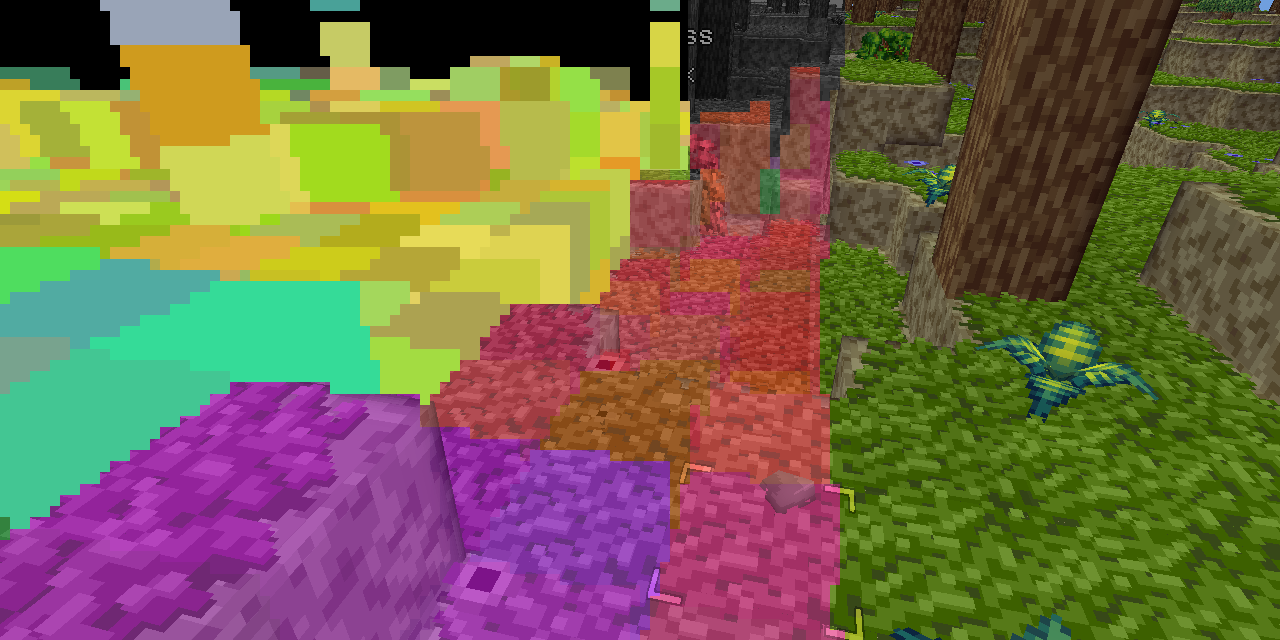
The system performed significantly better than I anticipated. It is fully threaded and typically executes in under half a frame at 60 FPS.
- General Performance: It generally culls of chunks that have already passed the frustum culling stage.
- Above Ground: Looking toward the horizon, it culls roughly of chunks.
- Underground/Indoors: In caves, culling rates can hit 95%, pushing framerates above 400 FPS even on my modest hardware.
Understanding Depth-Based Occlusion Culling
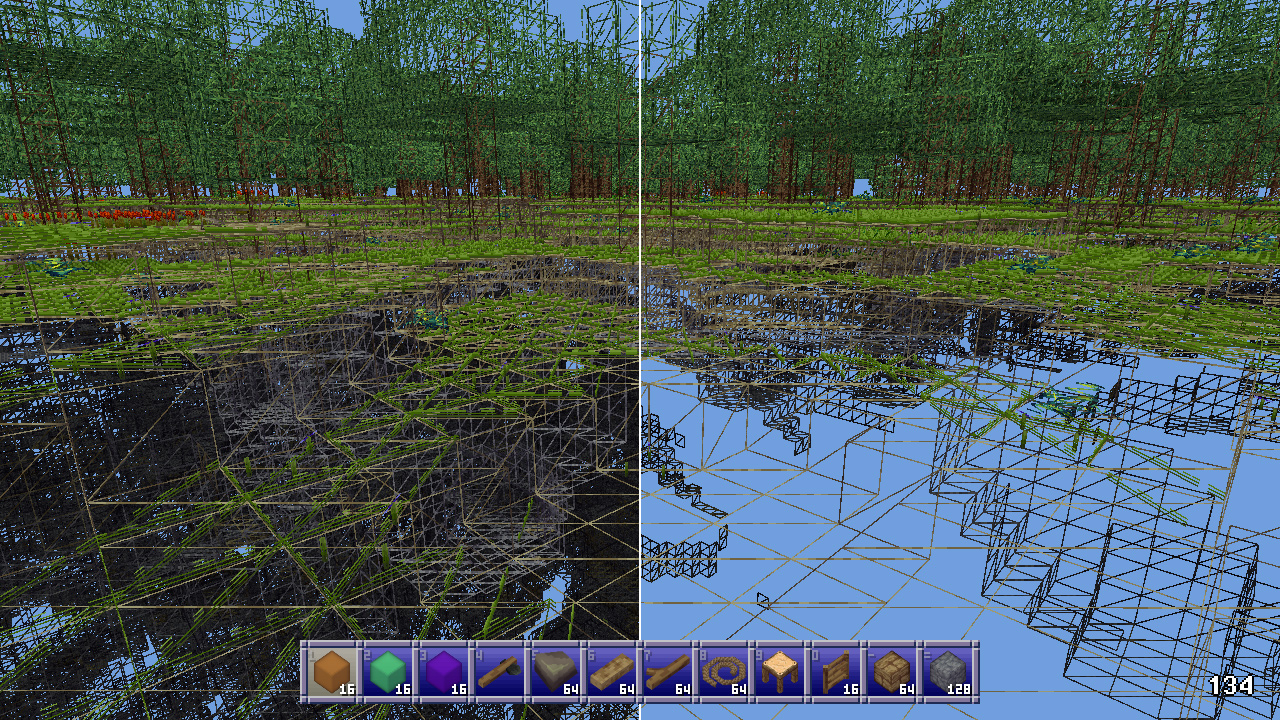
In simple terms, depth-based occlusion culling works by utilizing a depth buffer. For every object you intend to render, you check the buffer to see if any of that object's pixels would actually be visible to the camera.
There are several "modern" ways to handle this:
- Hierarchical Z-Buffers: Rendering at high res and conservatively downsampling (keeping the farthest distance).
- GPU Acceleration: Using the graphics card to handle the depth tests.
- Temporal Reuse: Using motion vectors to reuse the previous frame's buffer.
- Async Readback: Pulling the GPU's depth buffer back to the CPU without causing a pipeline stall.
The "Block Game" Implementation
Because I am using FNA, I am limited to older technology and cannot easily leverage the GPU for this. A standard GPU readback would cause a stall, which is unacceptable for performance. Instead, I built a custom software solution.
The Technical Setup
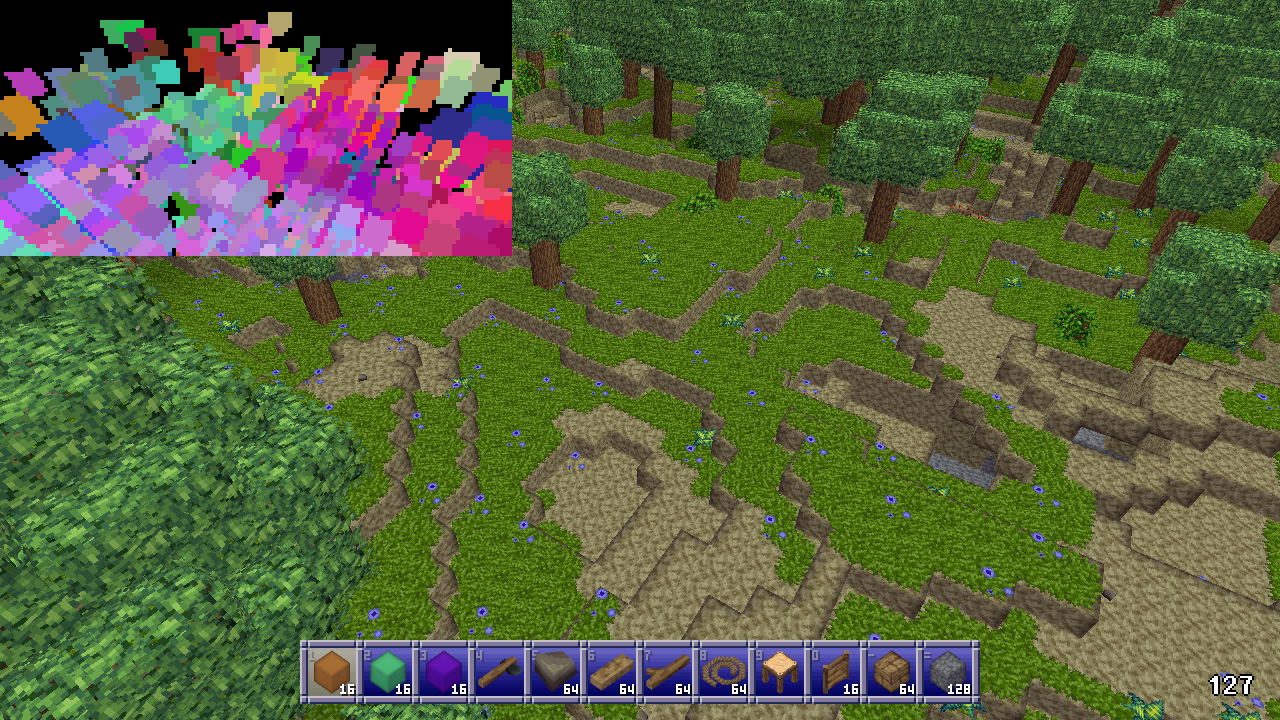
I render to a low-resolution depth buffer of 256x128 pixels, stored as a simple float array. Since everything in the game is a cube, I render occluding cubes into this buffer and then test candidate cubes against it.
The Occluder Hierarchy
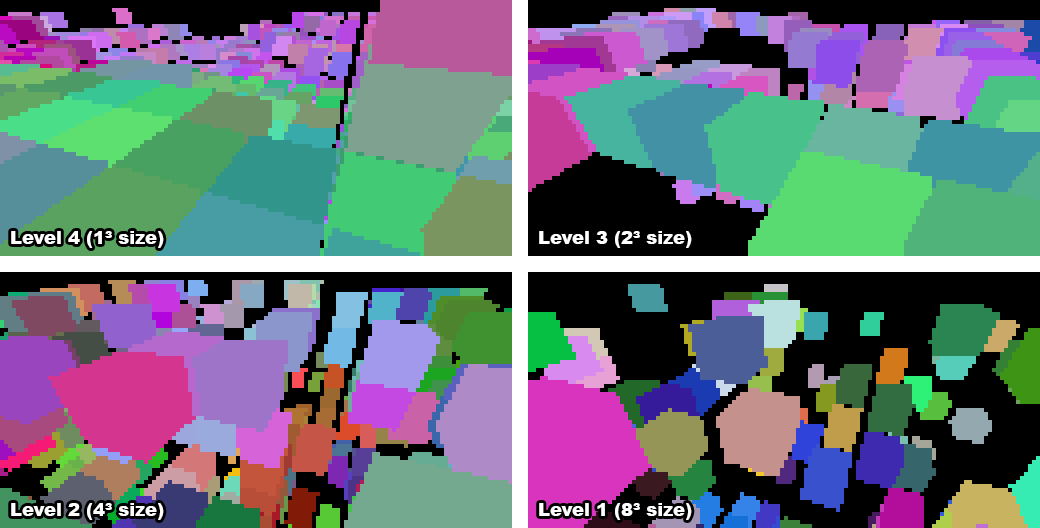
When a chunk is rebuilt, I generate a "mipmap" chain of occluding subchunks. Since chunks are , there are five levels of granularity:
The Logic:
- Level 4 is processed first: any single opaque block with a visible face is marked as an occluder.
- Descending Levels: A subchunk is marked as an occluder only if it has a visible face and consists entirely of full opaque blocks.
The Culling Pipeline
Once the camera moves, the following sequence occurs:
- Initial Filter: Gather nearby chunks; discard those without visible faces or entities.
- Frustum Cull: Perform world-space frustum culling on remaining chunks.
- Occluder Gathering:
- Level 4 (blocks) are gathered within a 20-block radius.
- Levels 1-3 are gathered based on the distance from the camera's current chunk.
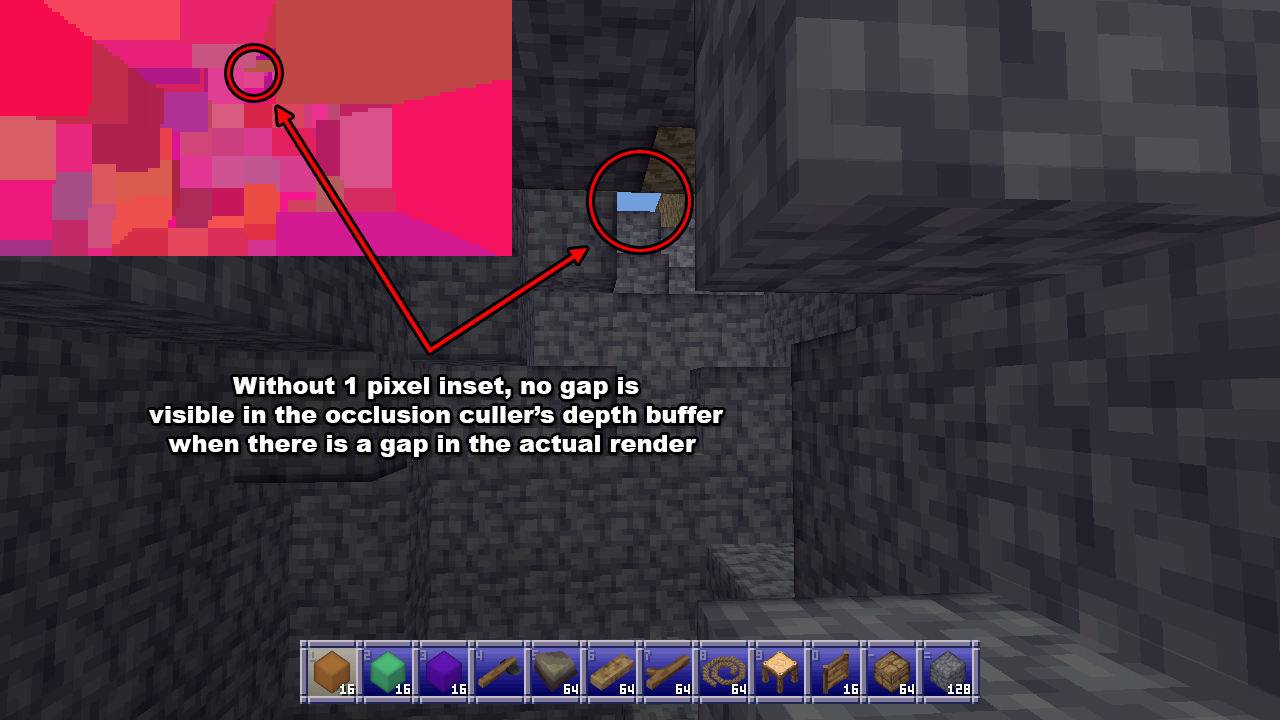
- Inset Adjustment: To prevent "false positives" (where a gap is hidden by low resolution), I shrink every occluder by 1 pixel horizontally and vertically.
- Thread Handoff: The system stores the position, size, and index of candidate chunks. Since the actual chunk data is no longer needed, the process is now thread-safe and wakes up the background thread.
Background Thread Execution
The background thread performs the heavy lifting:
- Subchunk Frustum Culling: Since the initial pass only culled whole chunks, individual subchunks are now frustum culled (this is cheaper than performing 8 vertex transforms).
- Depth Rendering: Occluders are rendered into the
floatarray. - Visibility Testing: Candidate chunks are tested against the buffer.
// Conceptual pseudo-code for the occlusion test
bool isVisible(Chunk candidate, float[] depthBuffer) {
    for (int p : candidate.projectedPixels) {
        if (candidate.depth(p) < depthBuffer[p]) {
            return true; // Pixel is closer than the occluder
        }
    }
    return false; // Entirely hidden
}
Final Thoughts
While the system is a resounding success, it isn't perfect. There are specific edge cases where the logic breaks down, such as the "gap of doom" where certain diagonal alignments can cause issues.
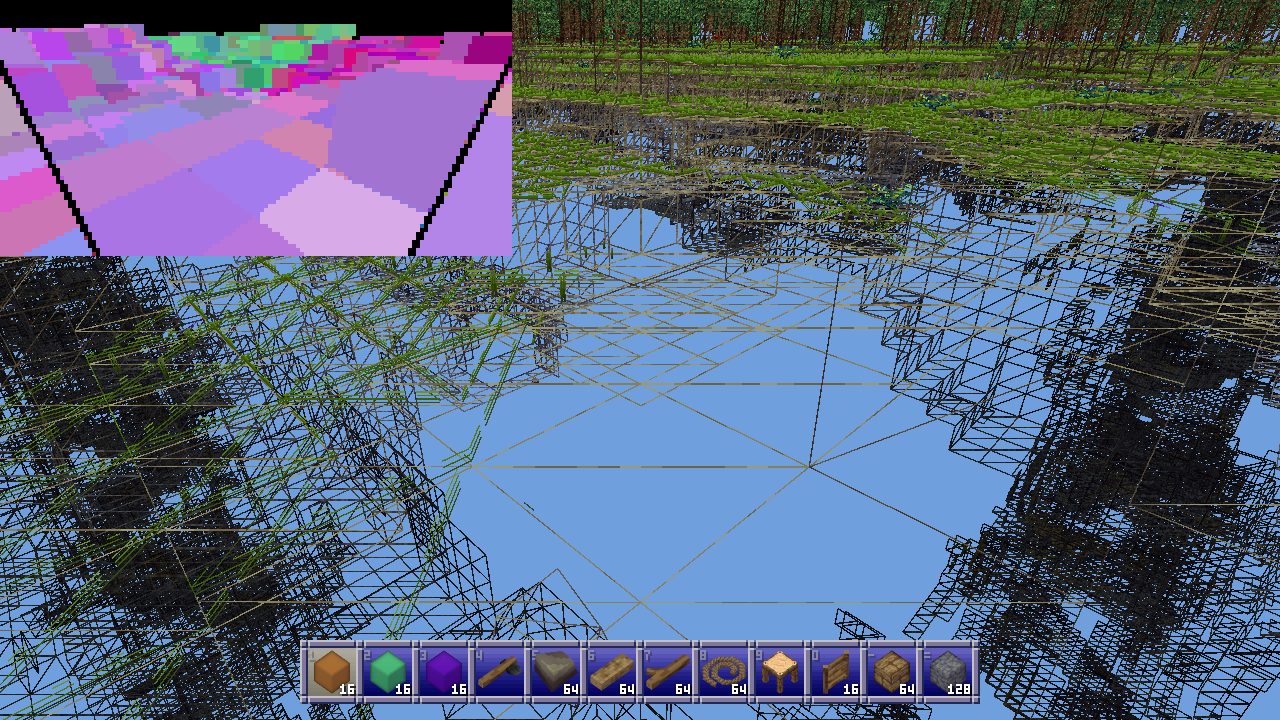
(Note: The original article mentions a Matcap example from a library, but it is not directly related to the occlusion culling logic.)