Show HN: JBR-001 – An open-source 3D printable desktop robot
JBR-001: An Open-Source 3D Printable Desktop Robot
JBR-001 is a desktop companion robot designed to be open-source and 3D printable. It serves as an accessible gateway for enthusiasts to dive into the worlds of physical AI, edge AI, computer vision, and general robotics.
The project is centered around the Arduino® UNO™ Q, providing a robust platform for interactive behavior and hardware control.
🛠️ Technical Specifications
To build the JBR-001, you will need a combination of specific electronic components and fabrication tools.
Hardware Requirements
| Component | Quantity | Specification |
|---|---|---|
| Arduino® UNO™ Q | 1 | 2GB Memory |
| Modulino™ Distance | 1 | For proximity sensing |
| Modulino™ Motors | 1 | For servo control |
| Modulino™ Buzzer | 1 | For audio feedback |
| Arduino USB-C Hub | 1 | 8-in-1 connectivity |
| 3D Printer | 1 | Desktop-grade for chassis |
Software Stack
- Arduino App Lab: Primary development environment.
- GitHub: Source code repository for version control.
📐 System Architecture
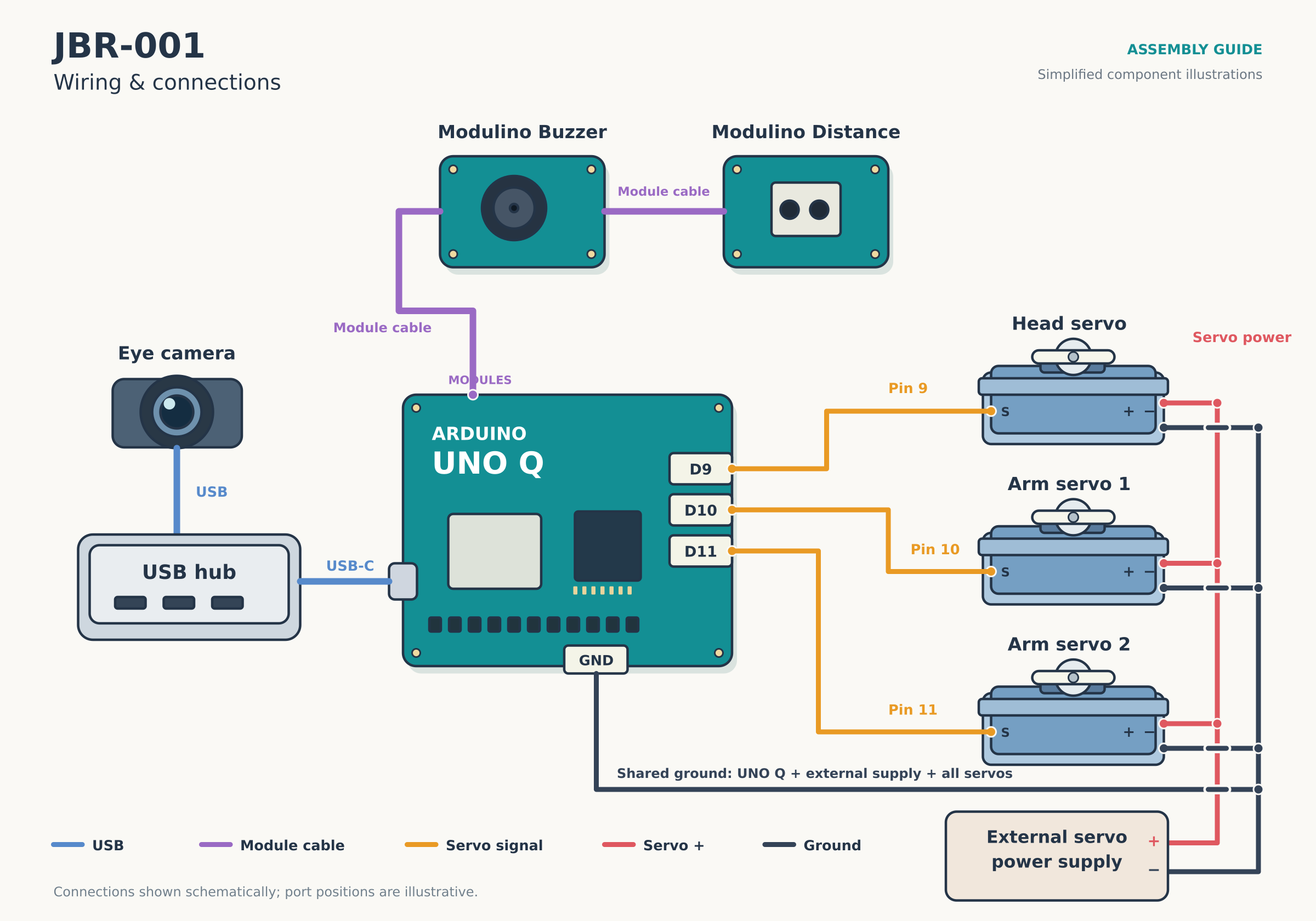
The robot's logic flows from environmental sensing to physical reaction. Below is a high-level overview of the system interaction:
🤖 Behavioral Logic & Implementation
The JBR-001 isn't just a static model; it possesses a set of programmed "personality" traits.
Core Functionalities
- Visual Expression: A pulsing heart animation on the LED matrix.
- Proximity Awareness: Reacts when a user approaches.
- Auditory Greeting: Plays a specific sequence of tones.
- Physical Animation: Moves its head and arms during startup and interaction.
Mathematical Thresholds
The robot utilizes specific distance parameters to manage its state:
- Detection Trigger:
- Reset Trigger:
💻 Source Code
The following C++ code governs the movement, sound, and visual displays of the JBR-001.
#include <Servo.h>
#include <Modulino.h>
#include "Arduino_LED_Matrix.h"

// JBR-001 hardware definitions
Servo headServo;
Servo leftArmServo;
Servo rightArmServo;

ModulinoBuzzer buzzer;
ModulinoDistance distanceSensor;
ArduinoLEDMatrix matrix;

// Servo pin assignments
const int HEAD_SERVO_PIN = 9;
const int LEFT_ARM_SERVO_PIN = 10;
const int RIGHT_ARM_SERVO_PIN = 11;

// Default resting positions (degrees)
const int HEAD_CENTER = 90;
const int LEFT_ARM_CENTER = 90;
const int RIGHT_ARM_CENTER = 90;

// Distance detection thresholds
const float DETECTION_DISTANCE = 200.0;
const float RESET_DISTANCE = 250.0;
bool objectDetected = false;

// Heart bitmaps (flipped for display orientation)
uint8_t heartSmall[8][13] = {
    {0,0,0,0,0,0,0,0,0,0,0,0,0},
    {0,0,0,0,0,1,1,1,0,0,0,0,0},
    {0,0,0,0,1,1,1,1,1,0,0,0,0},
    {0,0,0,1,1,1,1,1,1,1,0,0,0},
    {0,0,1,1,1,1,1,1,1,1,1,0,0},
    {0,0,1,1,1,1,0,1,1,1,1,0,0},
    {0,0,0,1,1,0,0,0,1,1,0,0,0},
    {0,0,0,0,0,0,0,0,0,0,0,0,0}
};

uint8_t heartLarge[8][13] = {
    {0,0,0,0,1,1,1,1,1,0,0,0,0},
    {0,0,0,1,1,1,1,1,1,1,0,0,0},
    {0,0,1,1,1,1,1,1,1,1,1,0,0},
    {0,1,1,1,1,1,1,1,1,1,1,1,0},
    {1,1,1,1,1,1,1,1,1,1,1,1,1},
    {1,1,1,1,1,1,1,1,1,1,1,1,1},
    {0,1,1,1,1,1,0,1,1,1,1,1,0},
    {0,0,1,1,1,0,0,0,1,1,1,0,0}
};

unsigned long heartbeatTimer = 0;
int heartbeatStep = 0;

void heartbeat() {
    unsigned long now = millis();
    switch (heartbeatStep) {
        case 0:
            matrix.renderBitmap(heartLarge, 8, 13);
            heartbeatTimer = now;
            heartbeatStep = 1;
            break;
        case 1:
            if (now - heartbeatTimer >= 120) {
                matrix.renderBitmap(heartSmall, 8, 13);
                heartbeatTimer = now;
                heartbeatStep = 2;
            }
            break;
        case 2:
            if (now - heartbeatTimer >= 100) {
                matrix.renderBitmap(heartLarge, 8, 13);
                heartbeatTimer = now;
                heartbeatStep = 3;
            }
            break;
        case 3:
            if (now - heartbeatTimer >= 160) {
                matrix.renderBitmap(heartSmall, 8, 13);
                heartbeatTimer = now;
                heartbeatStep = 4;
            }
            break;
        case 4:
            if (now - heartbeatTimer >= 700) {
                heartbeatStep = 0;
            }
            break;
    }
}

void playHello() {
    buzzer.tone(523, 120); // C5
    delay(150);
    buzzer.tone(659, 120); // E5
    delay(150);
    buzzer.tone(784, 180); // G5
    delay(210);
    buzzer.tone(1047, 250); // C6
    delay(270);
}

void makeMovement() {
    headServo.write(HEAD_CENTER);
    delay(400);
    leftArmServo.write(70);
    delay(500);
    leftArmServo.write(RIGHT_ARM_CENTER);
    delay(500);
}

void setup() {
    Modulino.begin();
    matrix.renderBitmap(heartSmall, 8, 13);
    headServo.write(HEAD_CENTER);
    delay(400);
    leftArmServo.write(LEFT_ARM_CENTER);
    delay(400);
    rightArmServo.write(RIGHT_ARM_CENTER);
    delay(400);
    delay(500);
    playHello();
    makeMovement();
}

void loop() {
    heartbeat();
    if (distanceSensor.objectDetected) {
        objectDetected = true;
        playHello();
    }
    if (distance > RESET_DISTANCE) {
        objectDetected = false;
    }
}
🖼️ Gallery
Below are the visual references for the JBR-001 project:
 The assembled JBR-001 unit.
 Internal component layout.
 Detail of the Modulino integration.
 Servo mounting points.
 3D printed chassis components.
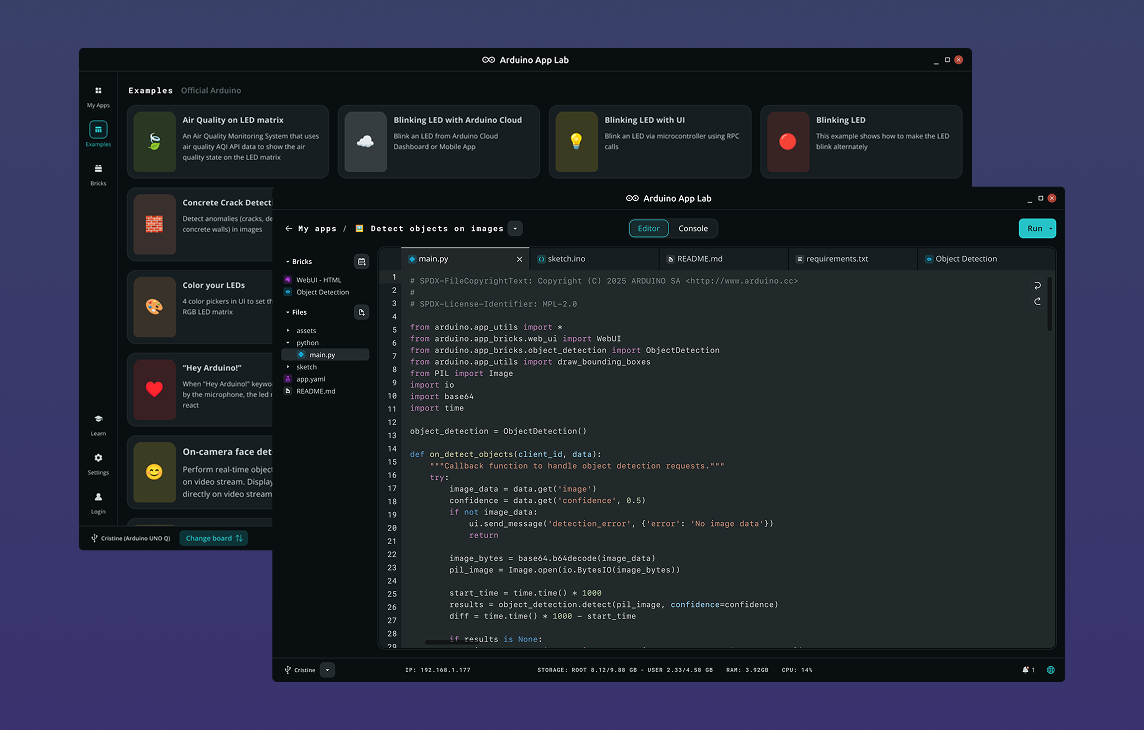 Arduino App Lab interface.
 JBR-001 in action.
This project is proprietary This project is fully open-source (CC0 1+).