Make Tmux the OS
Reimagining the Desktop: Making tmux the OS
I recently came across a presentation by Scott Jenson titled "Are we really going to use the same Desktop UX forever?" (watch here). Jenson is the kind of orator who could keep an audience captivated for hours—which is a high bar for a discussion centered on window management.
The crux of his argument is that the giants—Apple and Microsoft—have ceased to innovate within the desktop OS realm. Consequently, the responsibility falls upon the community to envision and build the future of the desktop. While I believe the reality is slightly more complex (they are experimenting, just with extreme caution), Jenson hits on a vital point: much of our current "standard" computing behavior is actually a legacy workaround for hardware limitations that vanished years ago.
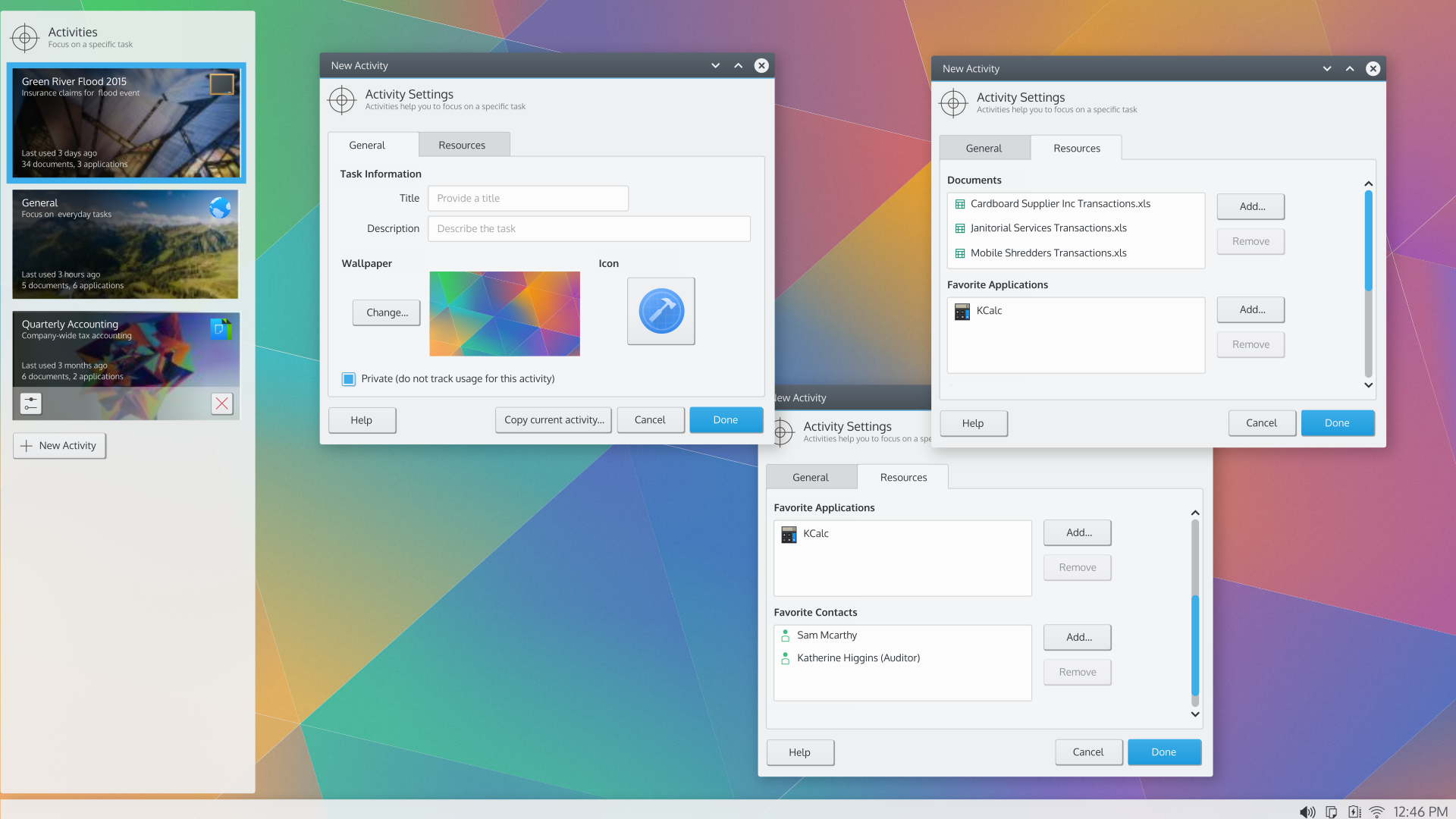
The Vision: A User-Friendly tmux
I'll be honest: I lack the technical prowess to build this myself. This piece is primarily a thought experiment intended to spark a broader conversation. However, having spent years suffering through the poor design choices of others, I feel sufficiently qualified to complain.
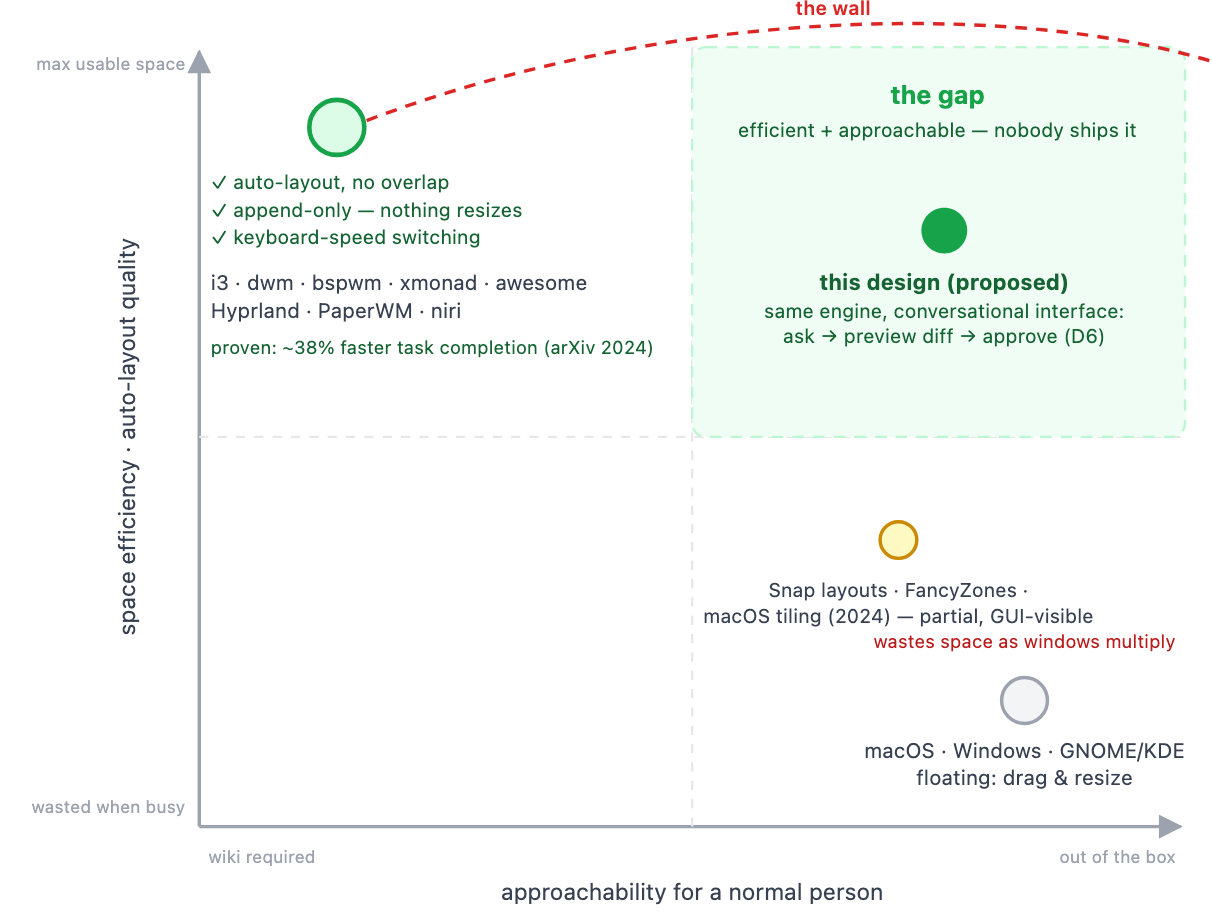
The TL;DR: I want an operating system that functions like tmux, but designed for the average person.
I love tmux for its session persistence, detachability, and task-oriented nature. But how do we translate that power into a UX that a "normal" person can navigate?
📋 The 2026 Window Management Checklist
To solve this, we first have to identify the current failures:
- Dynamic screen real estate management.
- Context-aware monitor roles.
- Support for diverse user window-management styles.
- Integration of the "Browser-as-OS" reality.
- Breaking down application data silos.
The Struggle with Physical Space
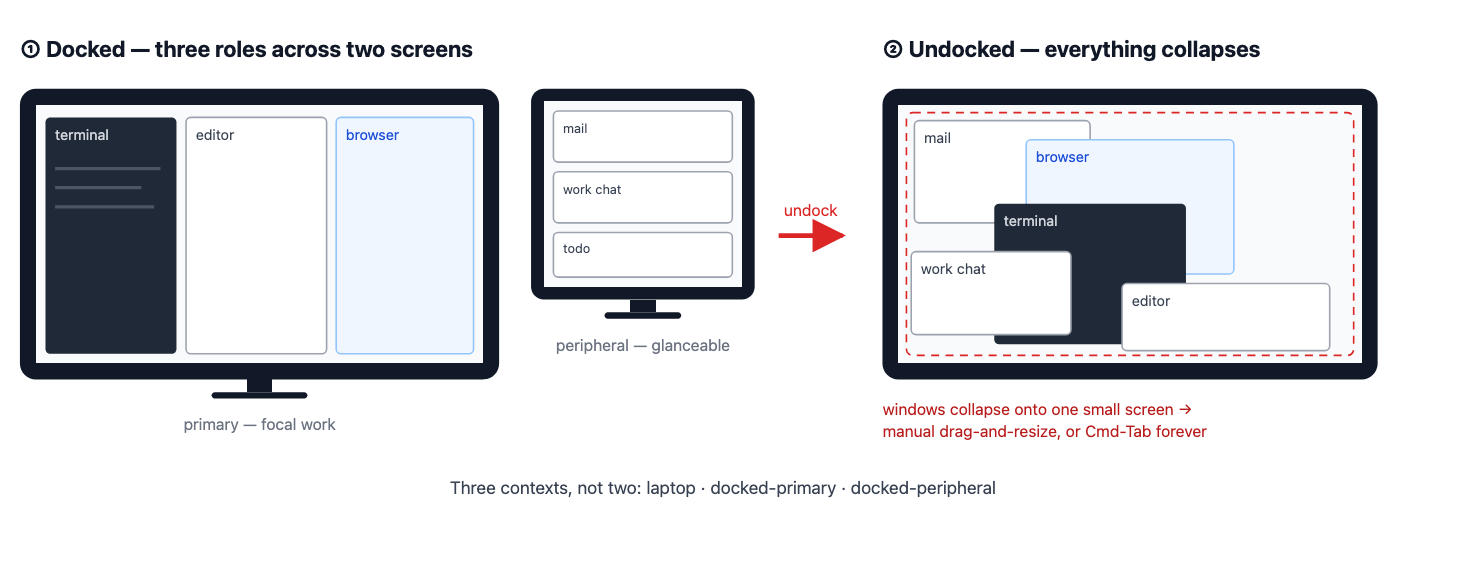
My available screen real estate is in a state of constant flux. I transition from a laptop screen to a desktop setup and back again roughly six times a day.
When I have ample space (large or multiple monitors), the concept of overlapping windows becomes obsolete. It's a waste of pixels. Furthermore, there is a fundamental difference between one massive ultra-wide monitor and two smaller ones.
I typically treat my monitors as distinct functional zones:
- The Primary Hub: Where the "real work" happens (Terminal,
tmux, Browser). - The Peripheral Zone: For static, lower-priority content (Email, Slack, To-Do lists).
As noted by Grudin in 2001, users naturally adopt this "focal vs. peripheral" split. Yet, the OS remains oblivious to these roles.
When I disconnect from my dock, the OS treats the event as a surprise rather than a scheduled occurrence. Everything collapses into a chaotic heap, forcing me to manually resize and drag windows to reclaim my workspace.
Three Archetypes of Window Users
Modern operating systems generally optimize for only one type of user, ignoring the nuance of how people actually work.
| User Type | Behavior | Primary Value |
|---|---|---|
| The Maximizer | One window fills the screen; uses Command + Tab to switch. | Maximum size for a single task. |
| The Near-Maximizer | One dominant window with a few small "glance" windows (chat/status). | Primary focus with peripheral awareness. |
| The Coordinator | Carefully tiles and persists windows across the screen. | Precise organization and layout. |
There is also the issue of Privacy vs. Publicity. Coordinators often need a "public" layout for presentations and a "private" layout for sensitive data. I've personally forgotten that connecting to a projector broadcasts my entire screen to the people I'm presenting quarterly numbers to. This dichotomy was already documented in 2004 in "Revisiting Display Space Management."
The Browser: The OS within the OS
By 2026, it is an unspoken truth that almost all software lives in a browser tab. These web apps have usurped the role of local applications.
However, the OS still treats the browser as just another app. In reality, the browser is a virtualized environment virtualized OS running inside the host.
The Task-Tab Disconnect
Our work streams are fragmented. For example:
- I use
Vimin a terminal to write Terraform code. - I have a browser tab open to the Terraform documentation.
- I have another tab open to update a Jira ticket.
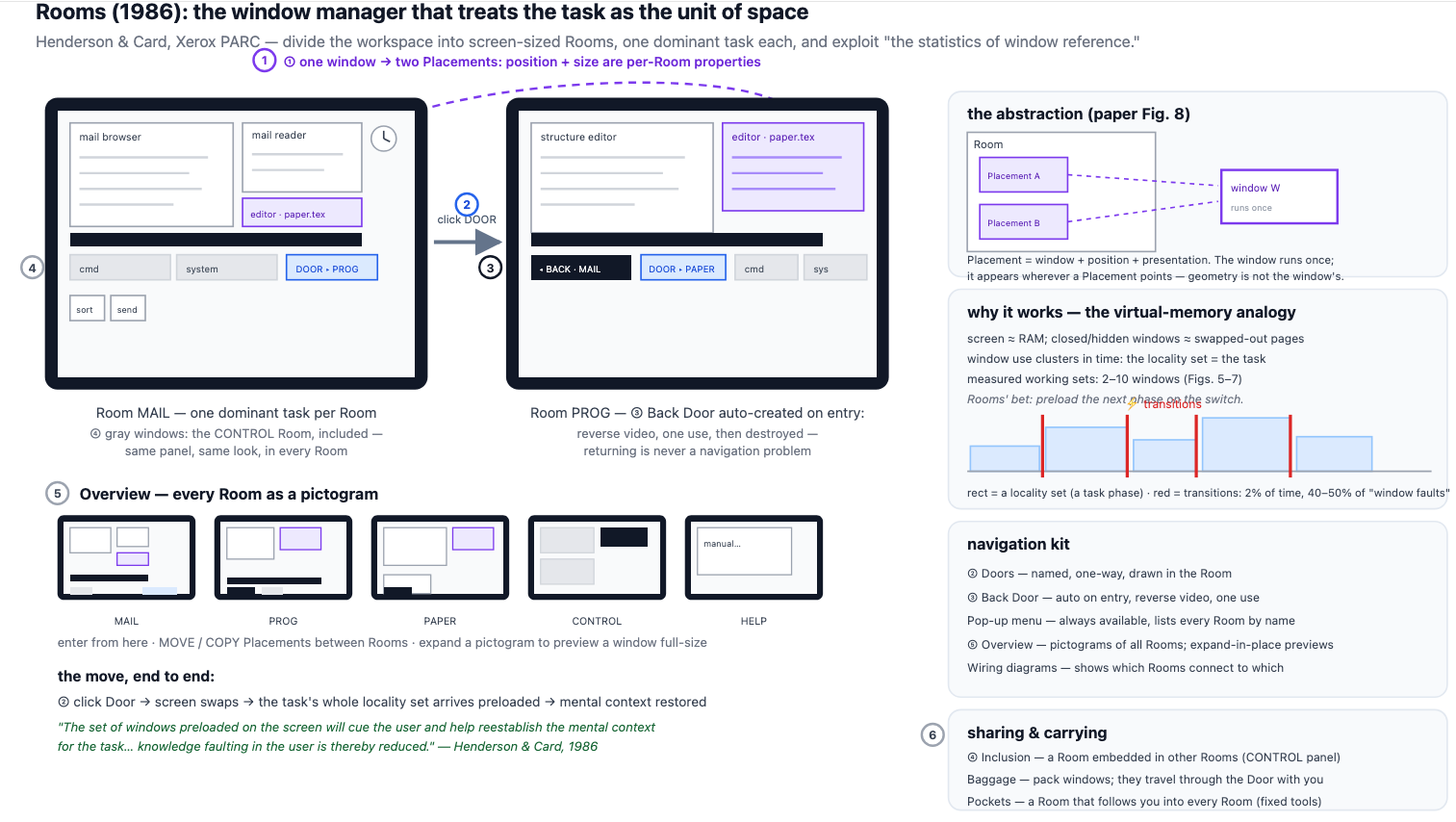
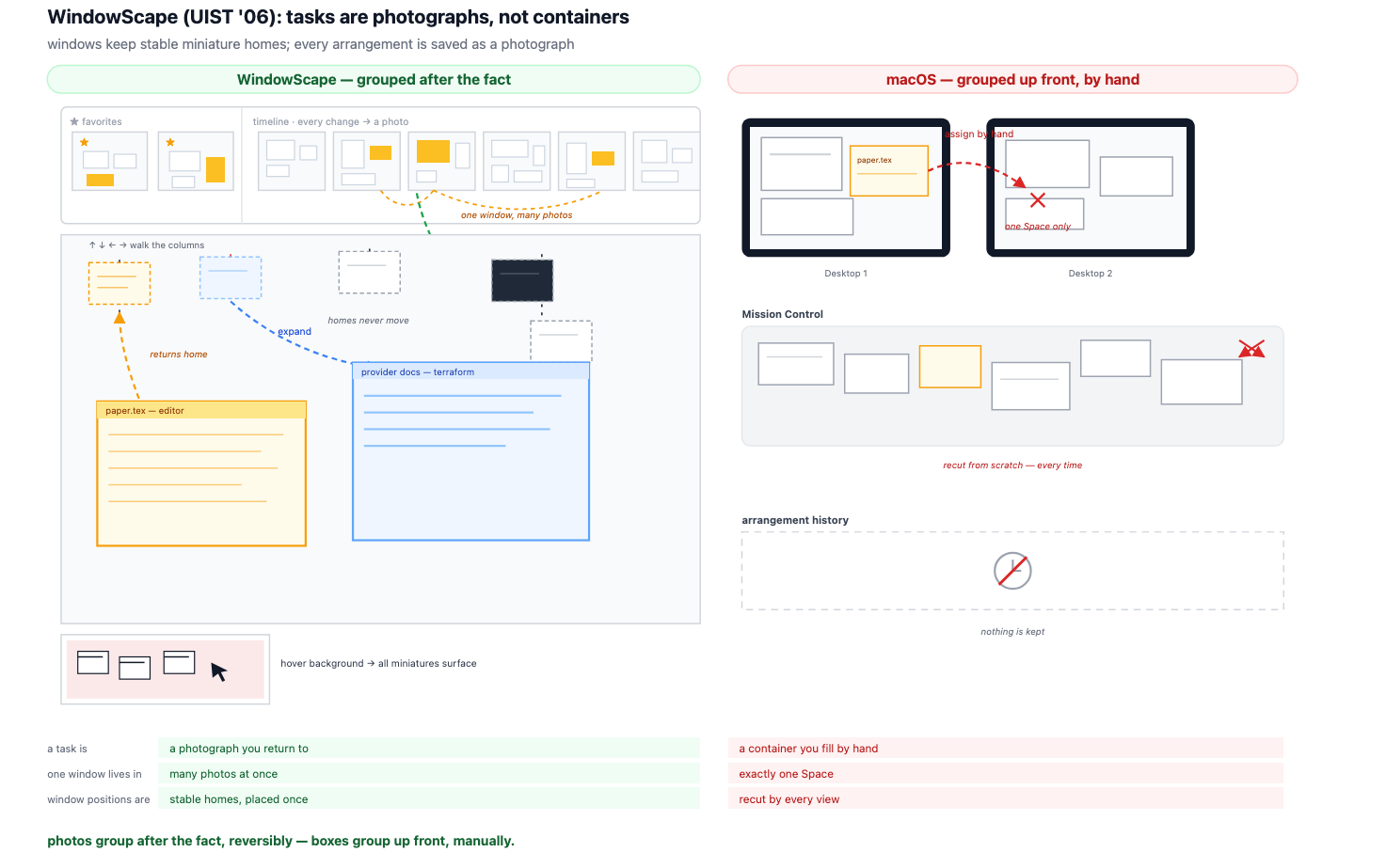
The relationship is messy. Does a single documentation tab belong to the "Coding" task or the "Reporting" task? Or can it belong to both?
The Data Silo Problem
We have moved away from a unified filesystem.
- Apple Notes Internal Database
- iMessage Internal Database
- Slack/Teams Proprietary Cloud
If I want to move data out of these apps, I'm usually just creating a copy. This creates a "weak filesystem" where the browser might display a PDF, but that PDF doesn't actually "live" in macOS unless I manually intervene.
Some might call this madness, but a weak filesystem might actually be a feature. A 2004 CHI paper aptly titled "Stuff goes into the computer and doesn't come out" highlights a problem we still haven't solved.
Since the era of System 7 and Windows 95, the logic has been a linear chain:
But that chain is broken.
Visual References
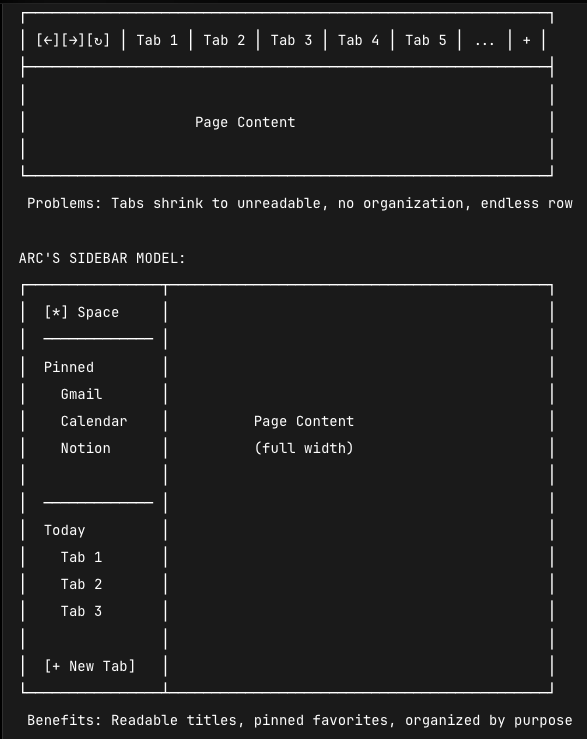
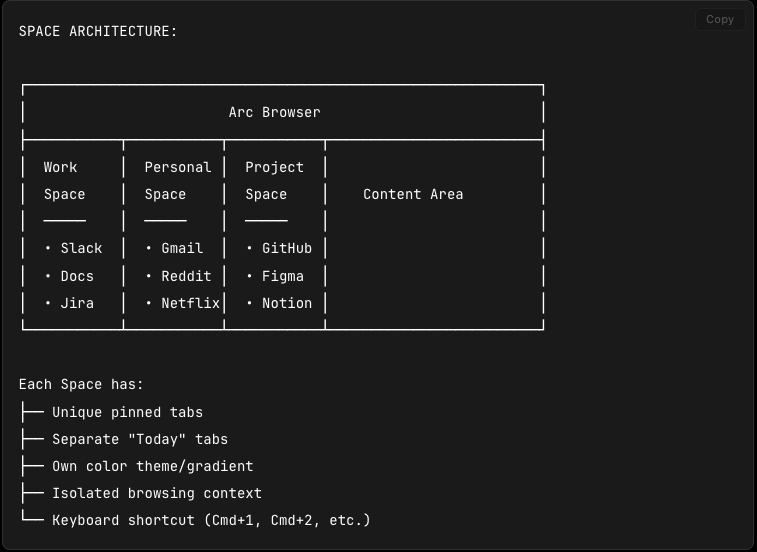
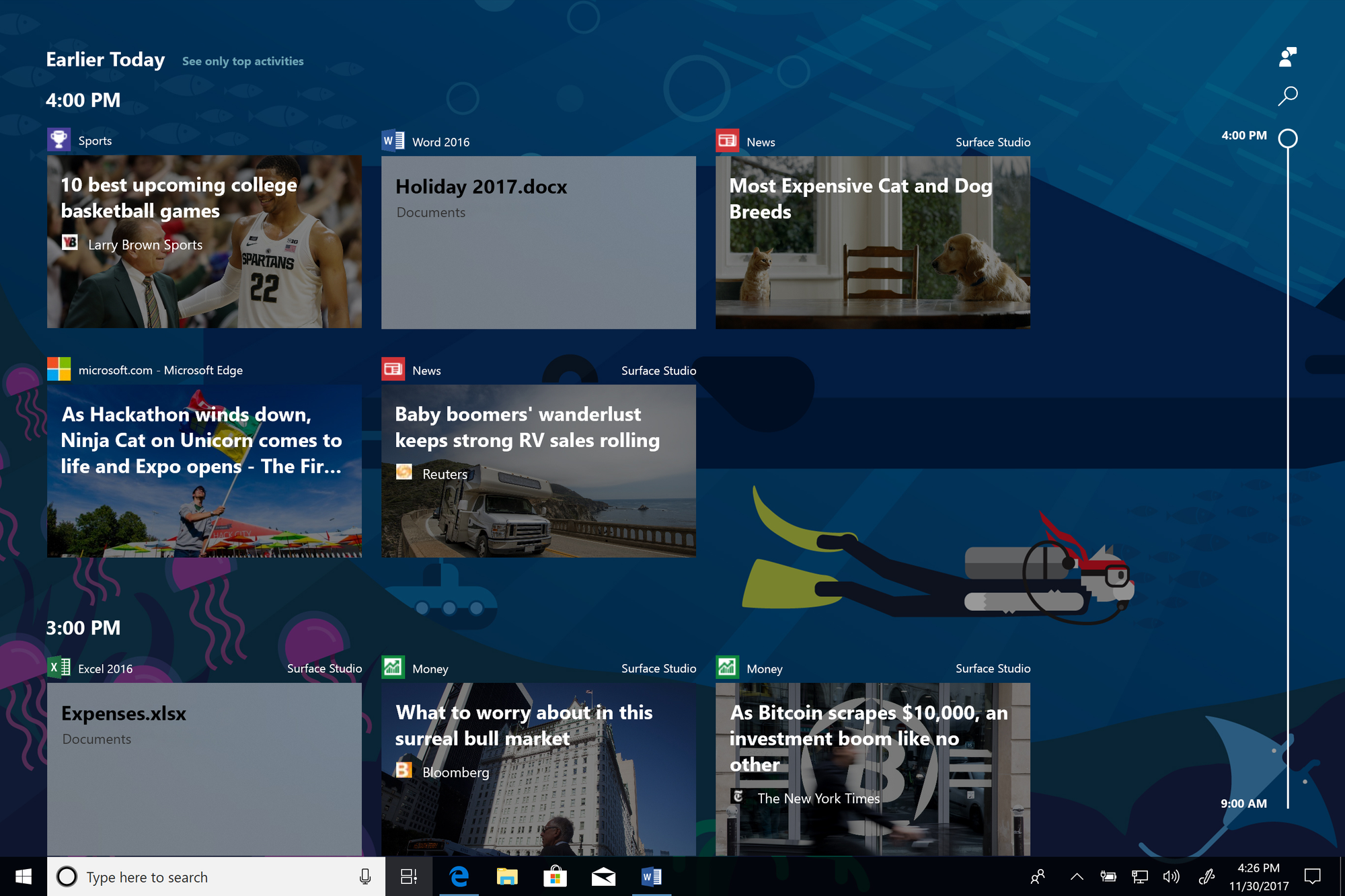
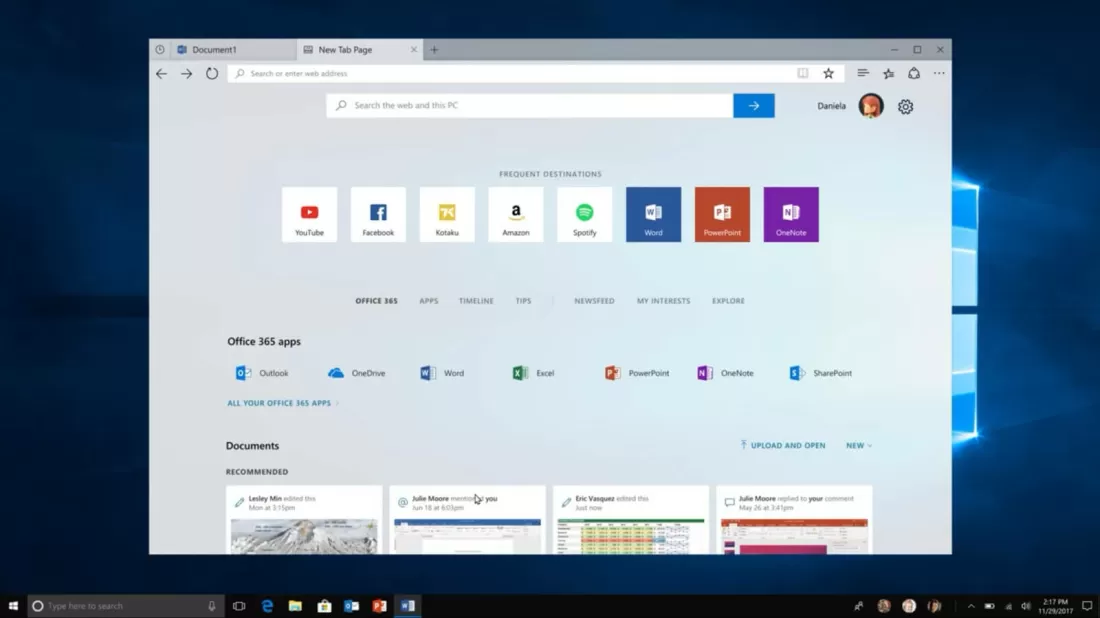
Conceptual Implementation
If we were to define a "Tmux-OS" configuration, it might look like this conceptually:
session: "Work-Project-Alpha"
layouts:
  docked:
    monitor_1: [terminal_vim, browser_docs]
    monitor_2: [slack, email, todo_list]
  laptop:
    workspace_1: [terminal_vim]
    workspace_2: [browser_docs]
    workspace_3: [slack, email]
persistence: true
detach_on_disconnect: true